


All Software
Looking to buy software? Honestly, what matters is an original license and instant email delivery
Listen, we're in 2026. There's no real reason to wait for a delivery guy with a plastic box to install Office or Windows. Buying software today is a two-click affair – buy software online, get the activation code directly to your email (yes, instant email delivery, no waiting), and you're done. At TopMarket, we've got you covered with a 100% original license from an authorized dealer, convenient interest-free payment plans, and peace of mind. No shady deals.
The whole "cheap software" thing and how not to get ripped off
Where to buy software in Israel? It's practically the question of the year. People are constantly looking for software price comparisons, trying to save ten shekels and buying product keys from some anonymous online seller. And then what? After a month, the license is blocked. Microsoft caught them. What a waste, right?
When you're looking for software, it's recommended to look for the "official importer" or authorized dealer tag. A software store in Israel that stands behind what it sells. True, sometimes you ask how much software costs and see differences... But software at a special online price doesn't mean you have to compromise on authenticity. You get a digital license that works for life (or a yearly subscription, depending on what you bought), and most importantly – security for your new computer. No messing with the grey market.
Operating System: What's the deal with OEM and Retail?
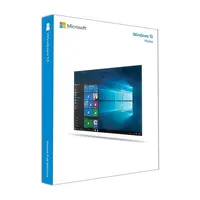
This confuses a lot of people. You go to buy Windows 11 and find two types. In short:
- OEM License: The cheapest there is. But – and this is a big 'but' – it's tied to your computer's motherboard. Computer dies? License dies. Can't transfer it.
- Retail License: A full digital license. Bought a new computer in three years? Remove it from the old one, install it on the new one. In my opinion, it's best to buy software in the retail version if you swap hardware occasionally.
Antivirus: Why pay when you can get it for free?
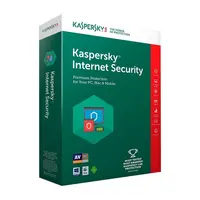
I hear this a lot. "I have free protection, why should I pay." Come on. Free protection is fine until you click the wrong link in an email and get hit with ransomware that encrypts everything. ESET NOD32, Norton, or Kaspersky – software at a very reasonable price these days. Buying an annual subscription costs next to nothing compared to the headache of losing data from the cloud or your hard drive. Note that most of these products have Hebrew support, which is a serious plus.
Which Office to buy? A quick comparison to sort things out
So you don't rack your brain, here's a small table that clarifies the differences in Office 2021 and Microsoft 365 (prices can obviously vary based on promotions, so check the catalog):
| Package Type | Who is it for? | License Type | Starting Price (Estimate) |
|---|---|---|---|
| Office Home & Student | Students, pupils, home use. Install on one computer (Word, Excel, PowerPoint). | Lifetime License (One-time payment) | Excellent for those looking for "cheap software" and quality. |
| Microsoft 365 (Family/Personal) | Those who need everything everywhere + 1TB cloud storage for backup. Also works on smartphones and tablets. | Annual Subscription | Affordable monthly/annual price. |
| Office Home & Business | For the business sector and self-employed. Includes Outlook for legal business email management. | Lifetime License (for one computer) | A recognized business investment. |
Ultimately – when you buy from us, you ensure a safe purchase, smooth digital download, and zero unnecessary hassle. Need to upgrade an existing computer? Go ahead, choose what suits you and get to work.

