

Buying Genuine Microsoft Software - No Weekend Tricks
Listen up. If you just bought a new computer or you're simply fed up with that red activation message popping up every time you open a document – you need a genuine license. Plain and simple. No cracks from the internet. Here at Topmarket, when you decide to buy Microsoft software, the whole process takes a few minutes. Ordered? A digital license lands in your inbox. Instant delivery to your email, full security, no viruses. Peace of mind.
I've seen so many people looking for where to buy Microsoft software in Israel and falling for some shady website selling them an activation key for $5. Seriously? A month later, it's all blocked. So how much does Microsoft software really cost? Yes, obviously it costs money. It's from an official importer. But you can find special prices on Microsoft software online with us because we cut out the costs of cardboard boxes (who still buys a boxed version in 2026?!). Do your own Microsoft software price comparison and you'll see we're crushing the market for genuine products. Anyone looking for Microsoft software too cheaply ends up paying twice. We are a Microsoft software store in Israel, online, and we only sell the real deal.
Many are undecided about which Microsoft software is best to buy now. Subscription or one-time purchase? The usual dilemma.
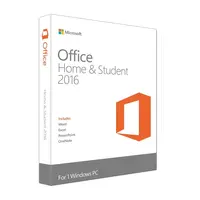
On one hand, there's a one-time purchase. You buy Office 2021 Home and Student (or the new 2024). You pay once – and that's it. It's yours for life. Suitable for one computer. Pure Office.
On the other hand, the cloud. An annual subscription to Microsoft 365. This allows installation on 5 devices simultaneously. It solves everything because you always have the latest updates. Personally? When people ask which Microsoft software is recommended for a family – I say 365 without hesitation. For students who only have a single laptop, the one-time purchase is better.
And when you're looking to buy Microsoft software, check compatibility! Do you have a Mac? Make sure you're not buying an Office that's only for PC. We have plenty of Mac-compatible versions with full Hebrew language support. Searching for Microsoft software online is easy, but buying the right version requires a little bit of thinking.
365 Subscription or One-Time Purchase?
| What to check? | Microsoft 365 (Cloud / Subscription) | Standard Office (One-Time Purchase) |
|---|---|---|
| Payment | Annual. Requires renewal. | One-time for life. |
| How many devices can it be installed on? | Up to 5 devices (PC, Mac, tablet, mobile). | 1 device only (desktop or laptop). |
| Software Updates | Includes future upgrades and new features. | What you bought is what you get. No upgrades. |
Answers to Frequently Asked Questions
Is the license for life?
It really depends on what you bought. If you chose Office 2021 or regular Windows 11 – yes, a one-time purchase for life. If you chose Microsoft 365 – it's a one-year subscription that requires renewal.
How long will it take to receive the activation code?
It's a matter of minutes. As soon as the order is processed, the system sends a digital license along with instructions directly to your email. No waiting for days.
What's the difference between Microsoft 365 and regular Office?
365 is a cloud-based service, you install it on multiple devices and get continuous updates + storage. Regular Office is locked to one computer and doesn't receive new features in the future.
Are the programs also suitable for Mac?
For Office – there are special Mac versions (like Office Home & Business for Mac) and 365 works great. Windows? Only if you're running software like Parallels.
How do I install the software?
In the email you receive, there's a direct download link from the official Microsoft website. Download, click next-next, and enter the code you received. And if you get stuck – that's what our WhatsApp team is here for to help you.
What is an OEM license?
This is a type of license that is physically "locked" to the motherboard of the computer on which you performed the first installation. You cannot transfer it later to your next computer. It's very suitable for someone building a new desktop computer and not planning to replace it soon.

