

Network Cables & Adapters
Network Cables and Adapters to Buy - Various Lengths and Speeds with Fast Shipping
Listen up, upgraded to fiber optic with Partner, Cellcom, or Bezeq? Great. Congratulations. But if you're still relying on the WiFi from the router your provider gave you... it's all for nothing. Speed drops, Zoom lags, disconnections. Honestly, buying network cables and adapters is the most critical part that the technician usually doesn't tell you. Here you'll find CAT6 to CAT8 cables, and also solutions for those stuck with laptops without a wired connection. Everything in stock here in Israel. Fast shipping, plug them in, and you're done.
Why a Cable Anyway? And How to Get Out of This Mess
Seriously, people ask me all the time where to buy network cables and adapters in Israel without waiting two months for AliExpress and praying it works. Well, you order here. We have an online store for network cables and adapters in Israel that understands exactly what's needed in 2026. No BS. A wired connection is simply stability. Clean bandwidth. No disconnections on your PlayStation or Xbox in the middle of a game because someone in the next room turned on a microwave.
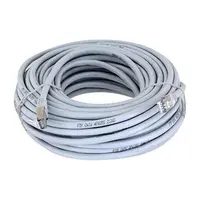
How do you choose? First, length. Measure. Don't guess. A network cable that's too short is frustrating – a network cable that's too long will just get tangled around your feet. There's a 5-meter network cable, a 10-meter network cable, and a 20-meter network cable or an outdoor network cable for those who need to run it from the living room to the bomb shelter. After you've chosen the length, look at the category. A CAT6 network cable is the basic standard today, handles gigabit with ease. But for fiber? A CAT7 network cable is recommended. Absolutely. And there's also a CAT8 network cable which is... well, it's for the tech enthusiasts who need a server at home, but hey, why not.
We need to talk for a moment about flat versus round cables. A flat network cable is a real lifesaver if you need to run it under a carpet or behind baseboards. You can barely see it. A round cable is usually shielded, more robust. It's a matter of what's convenient for you.
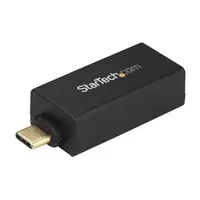
And then comes the issue with new laptops. Apple, Dell, they all decided that a network port (RJ45 connector) is passé – so they removed it. Nonsense. A Type-C to LAN adapter solves the problem in a second. Plug and play. A regular USB network adapter or an external network card for MacBook also works brilliantly. We stock UGREEN, TP-Link, and Baseus because from experience, they hold up. Many are curious about how much network cables and adapters cost... the prices here are really reasonable. Do a price comparison for network cables, you'll see there are cheap network cables that still do the job excellently, and usually, we have special online prices for network cables and adapters. It's truly the best network cables and adapters to buy online right now.
Quick Comparison - So You Don't Get Lost
| Cable Category | Max Speed (approx.) | Realistically, Who is it For? |
|---|---|---|
| CAT6 | Up to 1Gbps | Regular home office, old router, basic streaming. |
| CAT7 | Up to 10Gbps | Gaming, working from home, fiber optic internet. This is the standard now. |
| CAT8 | 25Gbps to 40Gbps | Enterprise switches, servers... or if you simply must have the most expensive. |
So come on, stop suffering from slow internet. There are network cables and adapters online here just waiting to be shipped to you.
Questions People Always Ask (FAQ)
1. What network cable is recommended for fiber optic internet?
If you have fiber, don't settle for less than CAT6. But, between us? In 2026, a CAT7 network cable is what you want. It's better shielded against interference, utilizing all the speed your provider gives you. Worth the small price difference.
2. What's the difference between a CAT6 and CAT7 network cable?
Mainly shielding (protection from surrounding electrical currents) and future speed. CAT6 transmits up to gigabit over regular distances. CAT7 can transmit 10 gigabits without blinking. This means fewer lags in FIFA and fewer freezes when you download large files.
3. How do I connect wired internet to a laptop without a network port?
Very simple - buy an adapter. If you have a regular USB port, get a USB network adapter. If it's a MacBook or a very thin laptop, get a Type-C to LAN adapter. Plug it into the computer, and on the other side, connect the cable. The computer will recognize it automatically like an external network card.
4. Does cable length affect internet speed?
Theoretically yes, but at home? Not really. A standard communication cable up to 100 meters doesn't lose any speed we can perceive. So a 10-meter or 20-meter network cable to the bedroom will give you exactly the same speed as a half-meter cable connected to the modem. Don't worry about that.
5. Is a flat network cable as good as a round cable?
For most indoor uses - yes, it's excellent. It's incredibly convenient for hiding behind furniture or under doors. The downside? It's a bit less shielded and prone to tearing if you pull it too hard. If it's something lying on an exposed floor and being stepped on - a round cable is preferable.

