

HDMI Cables & Adapters
Buy HDMI Cables and Adapters at Affordable Prices
Looking for a cable for a 4K screen, a new TV, or an urgent adapter for the PS5? Listen up, at TopMarket we've got exactly what you need – no fake stuff. Anyone who wants to buy HDMI cables and adapters without a headache knows they get the real deal here. Official importer's warranty. Fast delivery right to your door, and even convenient payment installments so you won't feel it in your pocket.
Why You Shouldn't Skimp on a Screen Cable
Look, buying HDMI cables and adapters online sometimes feels like a gamble. You buy a screen for 5000 shekels. And then what? Connect it with a simple cable that cost 20 shekels? Come on. It just doesn't work like that. If you've been wondering where to buy HDMI cables and adapters in Israel and get true picture quality – you've come to the right place. I always say, when you need HDMI cables and adapters, it's best to buy something decent once. Recommended HDMI cables today (especially in 2026) are those with a clear standard. Not some gibberish text on the packaging.
Take gamers for example. PlayStation 5. Xbox. For these, you absolutely need HDMI 2.1 standard. Why? Because. It gives you 4K 120Hz. A refresh rate that changes everything when you play. Insane bandwidth. On the other hand, if it's just for a standard TV or an old home theater – a cable supporting 4K 60Hz (2.0 standard) will totally do the job.
Adapters, Connectors, and Everything In Between
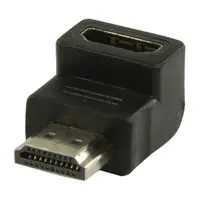
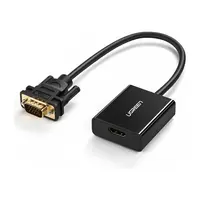
Wow, adapters are a whole other story. You come to a meeting with your MacBook... and there's no connection. A screen adapter has become a basic necessity. A Type C to HDMI adapter is a must-have today for any workstation. Or, say, a DisplayPort to HDMI adapter for desktop computers. We have all the big names – Ugreen, Baseus. Worth every penny. Just plug it in and it works. If you were looking for an HDMI cable and adapter store in Israel that keeps everything in stock – TopMarket is the place. By the way, we also have gold-plated cables, or braided cables that are resistant to tearing.
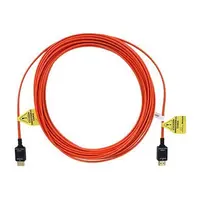
So how much do HDMI cables and adapters cost? Open up a price comparison for HDMI cables and see for yourself. Just looking for cheap HDMI cables is a recipe for disaster (flickering screen, sudden disconnections). Here you'll find HDMI cables and adapters at a special online price. Cables of 1 meter, 2 meters, 5 meters... And if you need 10 meters? Get an optical fiber. Don't compromise on sound or video transmission over these distances.
Which Cable Do You Really Need? (Quick Comparison)
| Standard (Version) | Maximum Resolution | Refresh Rate | Recommended Use |
|---|---|---|---|
| HDMI 1.4 | 1080p / Partial 4K | 30Hz at 4K | Older projectors, basic cable box |
| HDMI 2.0 | 4K | 60Hz | Streamers, standard TVs |
| HDMI 2.1 | 4K / 8K | 120Hz at 4K | PS5, Xbox, advanced gaming |
Questions People Always Ask (FAQ)
Which HDMI cable do I need for the Sony PlayStation 5 (PS5)?
To fully utilize the PS5 and get 4K at 120 frames per second – you need a cable that supports the HDMI 2.1 standard. Any cable less than that will simply bottleneck your console's performance.
What's the difference between HDMI 2.0 and HDMI 2.1 cables?
Bandwidth. A 2.0 cable will transmit 4K up to 60Hz, which is fine for most people. But version 2.1 transmits data at crazy speeds, enabling support for 4K 120Hz and even 8K. By 2026, this will be the standard for those who love cutting-edge quality.
Does cable length (e.g., 10 meters) affect picture quality?
With cheap and simple cables? Absolutely. The longer the cable (over 5 meters), the higher the chance of signal loss. That's why for distances of 10 meters, it's recommended to get an optical cable (Active Optical Cable) that maintains zero-compromise quality.
What adapter do I need to connect a MacBook to a TV?
Most modern MacBooks don't have a built-in HDMI port, so you'll need a Type C to HDMI adapter. Plug the Type C into your laptop, the screen cable into the adapter, and the picture appears. Easy.
Why should I buy HDMI cables from an official importer?
Because the market today is flooded with fakes. It says 8K on the packaging, but in reality, the cable can't even handle 1080p without stuttering. Buying from an official importer guarantees you a genuine product, full warranty – and peace of mind.

