

Buy I/O Expansion Cards Without Breaking the Bank
Listen, it’s not like every time you’re missing a USB-C connection or your network card starts acting up, you need to go buy a new computer. It’s 2026 now, hardware is ridiculously expensive. Want to save money? Honestly, the most sensible thing is to just buy I/O expansion cards and get it over with. Open the case, plug the card into the motherboard – and that’s it. So, if you’re wondering where to buy I/O expansion cards in Israel without getting ripped off by some shady dealer… you’ve come to the right place. Here at Topmarket, we don’t play games with parallel imports and shady deals. Only official importer. Period. You get full warranty, fast shipping across the country (usually 1-3 days, depending on where you live), and the option to pay in interest-free installments. Anyone looking for I/O expansion cards online knows this is what matters today.Why Upgrade Anyway? (Or: How Not to Be a Sucker)
I see a lot of people comparing prices for I/O expansion cards on Zap and getting confused. With so many options, they lose their way. Adapters here, ports there. Let’s sort it out. Got an old computer that doesn’t have enough data transfer speed? Stick a USB 3.0 expansion card in it. Need more drive space? A SATA controller card will do the job. Any computer upgrade like this saves you thousands of shekels on buying a new motherboard and a compatible processor. And yes, anyone typing “recommended I/O expansion cards” or “cheap I/O expansion cards” into Google needs to understand one simple thing – don’t buy the cheapest stuff from AliExpress. It’ll give you a blue screen and fry your power supply. From experience. Buy from known brands. StarTech expansion cards, various Asus cards, TP-Link for networking… stuff that works.How to Choose a Card Without Making a Connection Mistake?
Okay, this is the annoying part, but there’s no choice. Before you come here and look for special price I/O expansion cards online, open your computer case (or check the specs). What free slot do you have? The small PCIe x1? Or maybe x4? Perhaps the x16 for graphics cards? If you buy a card that doesn’t fit the slot, you’re screwed. And another critical thing for the IT folks among us – Low Profile. If you have a small computer in the office (SFF), you MUST make sure the card comes with that short bracket in the box. Otherwise, it just won’t fit. For those wondering how much I/O expansion cards cost – it can range from tens of shekels for a simple adapter to hundreds of shekels for a crazy server card with its own heatsink and monstrous bandwidth. If you ask me what’s the best I/O expansion card to buy? Depends on your needs. Let’s see:| Card Type / Interface | What is it good for? | Compatibility Notes |
|---|---|---|
| PCIe Network Card (LAN / Wi-Fi) | Fast browsing, upgrade to Wi-Fi 6/7 or 2.5G/10G wired connection. | Usually requires a PCIe x1 slot. Easy to install. |
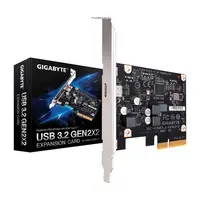
| Type-C / USB 3.2 Adapter | Connect modern peripherals to older computers. | Sometimes requires additional cables for power supply (SATA Power). |
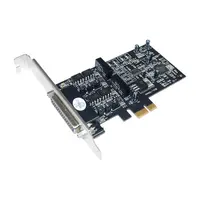
| Serial / COM / LPT Port | Connect to old printers, cash registers, industrial equipment. | B2B niche. Must check for compatible drivers for Windows 11. |
Questions People Always Ask Me (FAQ)
Do I need to install drivers for an I/O expansion card?
It depends. Most cards today (Plug and Play) are automatically recognized by Windows 10/11. But – and there’s a big but – for specific network cards or advanced SATA controllers, you sometimes have to download a driver from the manufacturer’s website to get the full data transfer speed.
How do I know if a PCIe card fits my motherboard?
Very simple. Open your motherboard manual (or Google the model). Look for how many PCIe slots you have and what type (x1, x4, x8, x16). An x1 card can fit in a large x16 slot, but an x4 card won't fit in a small x1 slot. Common sense.
What’s the difference between an official importer and parallel import for expansion cards?
Night and day. An official importer means that if the card suddenly dies after two months, you have an official point of contact in Israel, and they’ll replace it with a new one without questions. Parallel import? Go find someone to fix it for you, maybe they’ll send it to a lab abroad and you’ll wait a month. Not worth the 20 shekel saving.
How long does a shipment of I/O expansion cards take in Israel?
At Topmarket, we push for fast shipping as much as possible. Usually, it takes between 1 to 3 business days, depending on your city of residence and whether you chose home delivery or a pickup point. If it's super urgent – you can always do self-pickup.
Is an expansion card suitable for a small form factor (SFF) computer?
Yes, with one condition! You must buy a card that explicitly states “includes Low-Profile bracket”. It’s simply a shorter metal plate that you replace with screws so the card physically fits into your slim case.
How do you install an expansion card in a desktop computer?
Turn off the computer from the power source (mandatory!). Open the side of the case, remove the rear cover plate opposite the empty slot on the motherboard, push the card in until you hear a click, secure with a screw. Turn it on. That’s it. Easier than LEGO.

