

Ergonomic Computer Chair for Comfortable and Precise Work
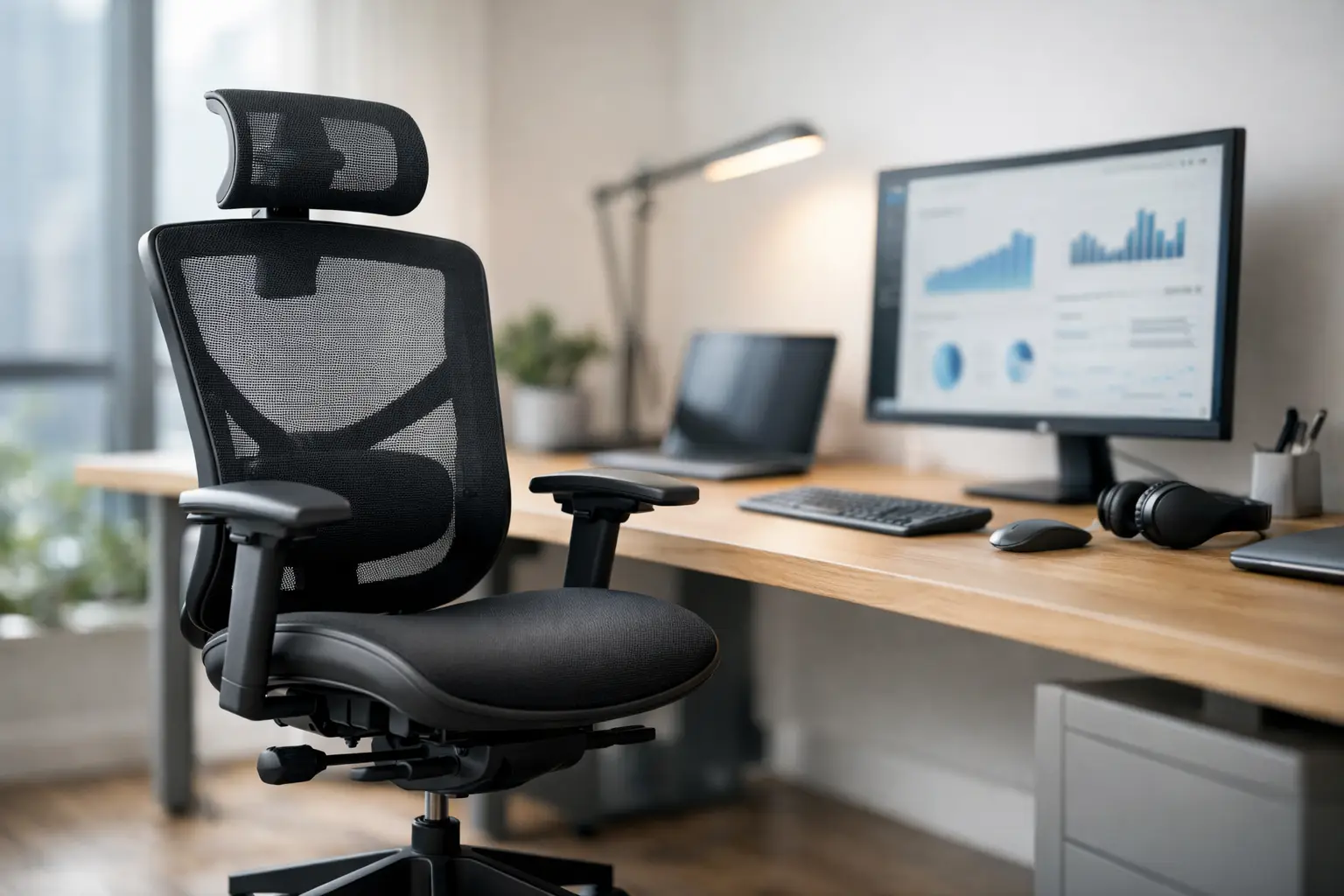
Spending eight hours in front of a screen on an uncomfortable chair is not just a matter of discomfort. It can lead to leaning forward on the edge of the seat, lower back strain, shoulder tension, and a constant search for a position that can be maintained for just a few more minutes. An ergonomic computer chair is designed to address these issues through precise adjustments to fit your body, desk, and work style—not just through an office-like appearance or a hefty price tag.
Whether it's a home office, small office, computer lab, or gaming setup, the chair is a key component of your setup. A quality monitor, fast computer, and spacious desk won’t compensate for poor support throughout the day. Therefore, it’s advisable to compare models based on adjustment mechanisms, dimensions, upholstery materials, and warranty, rather than just relying on an image or brand name.
Why a Regular Office Chair May Not Be Enough
A basic chair might suffice for short stints of one or two hours, but continuous work demands more. Our bodies shift positions throughout the day, users come in different sizes, and desk and keyboard heights affect the angles of the back, knees, and elbows. When a chair only allows height adjustment, its adaptability is very limited.
A high-quality ergonomic chair provides lower back support, allows adjustment of seat depth and armrest positions, and in advanced models, can also adapt reclining resistance to your body. The goal is not to sit rigidly at one angle; rather, controlled movement, position changes, and continuous support are essential for better sitting posture.
It's important to differentiate between an ergonomic chair and a gaming chair. Many gaming chairs boast bold designs, tall backs, and wide recline, and can be quite comfortable. However, not every model includes lumbar support, depth adjustment, or accurately adjustable armrests. For those who work at a computer most of the day, ergonomics specifications are more vital than aesthetics.
How to Choose an Ergonomic Computer Chair Based on Your Body and Setup
The starting point is the user’s dimensions and setup, not the chair's color. Sit in front of your existing desk and check a height where your elbows can maintain a 90-degree angle without lifting your shoulders. The seat height should allow your feet to rest flat on the floor without your knees pressing against the edge of the seat.
If the desk is relatively high and cannot be lowered, a chair with a wide height range may help, but you might also need a footrest. Conversely, if the desk is low, a chair that is too high will create uncomfortable bending in your back and neck. The adjustments are part of a whole system: chair, desk, monitor, keyboard, and mouse need to work together.
Seat Height and Adjustment Range
Check the height range specified in the product details, not just the overall chair height. Short users need to know that the seat can drop low enough so their feet aren’t left dangling. Taller users should ensure there’s no sharp bending at the knees when the seat is set to the height matching the desk.
In an office with several employees or at home where multiple family members use the same setup, a wide adjustment range is a clear advantage, allowing the chair to be used over time as the nature of its use changes.
Seat Depth and Width
An appropriate seat depth leaves a small gap between the edge of the seat and the back of the knee. A seat that is too deep may press behind the knees or cause you to sit forward without using the backrest. On the other hand, a seat that is too short won’t provide enough support for the thighs, especially for taller users.
The seat width should allow comfortable movement without causing pressure on the sides. If you sit for extended periods, consider the density and material of the upholstery as well. Very soft foam may feel pleasant in the store but can lose shape and feel saggy over time. Upholstery with good density holds up better over time, even if it feels slightly firmer initially.
Lower Back Support
Lumbar support is one of the most critical features. Look for support that is positioned at the right height for your back, preferably one that can be adjusted for height or depth. A fixed cushion may suit some users, but it’s not a precise solution for everyone.
A mesh back is common in work chairs due to good ventilation, especially in a warm room or during prolonged use. It may offer flexibility and pleasant support, but the quality of the mesh and frame determines whether it will maintain its shape. A padded backrest offers a firmer seating experience and may suit those who prefer uniform support. There’s no absolute choice here—select the material based on personal preference, room conditions, and duration of seated use.
The Mechanisms that Make a Difference
The tilt mechanism is not an insignificant addition. It allows you to lean back for short intervals, relieve strain, and change angles without losing support from the chair. Some models allow you to lock the tilt in several positions, while others have a synchronous mechanism where the seat and back move in a coordinated ratio.
It's worth checking if the tilt resistance can be adjusted based on the user’s weight. Too little resistance will feel unstable, while too much will prevent you from effectively using the mechanism. For continuous office work, a quality, comfortable mechanism is generally more important than the ability to recline almost flat.
Adjustable armrests are particularly useful for those working with a keyboard and mouse. The height of the armrest should allow support for the elbows without lifting the shoulders. In advanced models, you can sometimes adjust the width, depth, and rotation of the armrests. This is useful when shifting between typing, using the mouse, and video calls.
On the flip side, overly large armrests may get stuck on the desk and prevent you from sitting close to it. If the work desk is narrow or has a low drawer, check the minimum height of the armrests and whether they can be moved inward or lowered.
Wheels, Base, and Weight Capacity
The base should be stable, typically with five arms, and suited to the weight of the user as declared by the manufacturer. Don’t choose a chair based solely on minimum weight capacity. A safety margin in weight capacity contributes to the long-term durability of the mechanism and pneumatic piston.
The wheels also affect the user experience. Standard wheels generally work well on hard surfaces, but on laminate or delicate floors, ensure they won't scratch. On thick carpet, larger wheels or a specific surface may be required to maintain smooth movement. A chair that doesn’t roll easily encourages unnatural twisting and stretching of the body every time you need to reach for something on the desk.
Suitability for Work, Study, and Gaming
A student using a computer for a few hours a day can benefit from a chair with lumbar support, adjustable height, and basic armrests. There is not necessarily a need for every advanced mechanism, especially when the budget is limited and the seating is not continuous.
A hybrid worker or professional sitting six to ten hours a day should prioritize adjustable seat depth, quality back support, tilt with adjustable resistance, and armrests with a wide range of motion. These details accumulate to comfort throughout a full workday.
For gamers, a headrest and wide tilt may be beneficial during long gaming or viewing sessions, but it’s important not to neglect lumbar support and adjustability of armrests. If the same chair is used for both work and gaming, it’s better to choose a balanced model with genuine adjustment options rather than relying solely on design.
Before Ordering: How to Properly Compare Specifications
When comparing models, look for clear data: minimum and maximum seat heights, seat width and depth, type of tilt mechanism, number of locking positions, type of armrests, weight capacity, and type of upholstery. A detailed specification allows for a more objective comparison than a vague claim of “maximum comfort.”
Also, check the warranty terms and coverage for different components. A chair has parts that are in constant motion—piston, wheels, tilt mechanism, and armrests. A clear warranty is especially relevant when purchasing for business or daily home use.
Before ordering, measure the space under the desk and the area behind the chair for movement. A wide chair with large armrests may look great on paper but be less practical in a small room. If it's a purchase for multiple setups, choosing a uniform model can simplify maintenance, future orders, and suitability for new employees.
The right chair doesn’t necessarily have to be the most expensive model in the category. It should fit your measurements, usage patterns, and the equipment that’s already on the desk. When choosing based on specifications, adjustability, and warranty rather than design alone, you’ll have a workstation that’s more comfortable to use even after long hours.

