
Advanced Computer Cooling for Quiet and Stable Performance
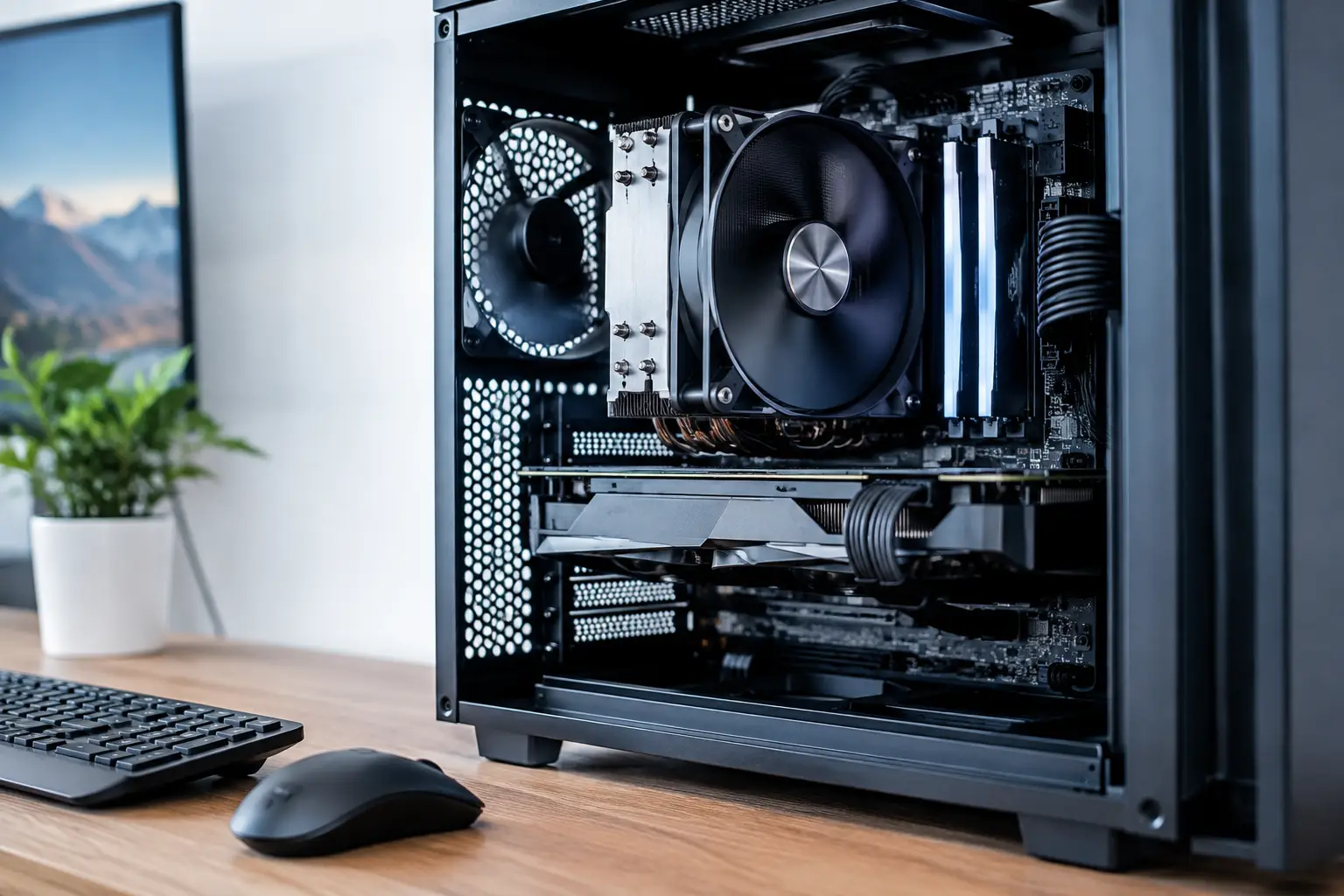
Does your computer overheat in the middle of a game, when exporting a video, or under the load of a design software? In many cases, the problem isn't with the CPU or the graphics card itself, but rather with inefficient heat dissipation. Advanced computer cooling is designed to maintain high frequencies over time, reduce unnecessary noise, and protect expensive components from operating at high temperatures.
The right choice is not always the most expensive solution. A compact office computer, a workstation with a multi-core processor, and a gaming PC with a powerful graphics card require completely different approaches. To make the right purchase, you need to match the thermal output of the components, case size, airflow, and desired noise level.
Why Temperature Directly Affects Performance
Modern processors and graphics cards are capable of automatically increasing their operating speed when there is thermal headroom. However, when heat builds up and cannot be dissipated, the system lowers frequencies to protect itself. The result is a drop in performance, sometimes without a clear error message.
In gaming, this may manifest as a drop in frame rates or loud fan noise. In professional work, it could mean longer render times, code compilation, or processing large files. In home computers, constant heat can also accelerate dust buildup and damage the reliability of fans, storage drives, and other components over time.
It's important to differentiate between a brief temperature spike and sustained high heat. Many processors are designed to handle high temperatures during short bursts of activity, but a computer that stays hot for hours needs a cooling check, cleaning, or configuration changes.
Advanced Computer Cooling Starts with the Case
Even the highest quality cooling system won't solve ventilation problems in a closed and cramped case. The case is the airflow pathway of the system: cool air needs to enter, pass through the hot components, and exit without significant blockage.
In most computers, the effective configuration involves front fans that draw in air, a rear fan that expels it, and sometimes top-mounted fans to clear out rising hot air. There's no need to fill every available opening with fans. More fans do not guarantee better results if cables obstruct airflow, if filters are dirty, or if the fans are incorrectly oriented.
A case with a mesh front typically allows better airflow than a sealed front, but it may also be less soundproof. This is a clear example of a compromise to consider: a user who prefers absolute silence for office work may choose a more closed case and energy-efficient components, while a gamer or content creator usually favors better air intake.
Positive or Negative Air Pressure?
When the amount of air entering slightly exceeds the amount exiting, positive pressure is created. In a case with functioning dust filters, this approach can reduce dust intake through unfiltered gaps. Negative pressure, where more air exits than enters, can efficiently expel heat in certain setups, but it often draws in more dust.
There’s no one-size-fits-all rule for cases here. The goal is consistent airflow, normal temperatures, and simple maintenance. After assembly or upgrades, it's advisable to check temperatures under real load rather than relying solely on the feel of the air exiting the case.
Air Cooling for CPUs: A Practical Solution for Most Systems
Air cooling consists of a metal base attached to the CPU, heat pipes, aluminum fins, and one or more fans. It's relatively easy to install, reliable, accessible for maintenance, and offers excellent value in gaming PCs and many workstations.
The main advantage is simplicity. There are no pumps, tubes, or liquids. In case of a failure, it usually involves a fan that can be replaced. However, it's essential to check the height of the cooling unit against the case's clearance and the space above the memory modules. An especially large cooler may obstruct tall memory modules or not fit in a narrow case.
When purchasing air cooling, don’t just settle for the manufacturer's heat dissipation claims. It's wise to consider the type of CPU, its power consumption under load, the number of fans, fin size, and noise levels. For an energy-efficient CPU, there's no need to choose an oversized and expensive cooler, while a high-performance CPU that runs for hours under load definitely justifies a more significant solution.
When Liquid Cooling is the Right Choice
Closed-loop liquid cooling, sometimes referred to as a system including a radiator and pump, transfers heat from the CPU to a radiator installed in the case. It's particularly suitable for computers requiring high heat dissipation, powerful processors, or those who prefer a clean look with LED lighting and display on the cooling head.
A larger radiator, such as one with two or three fans, typically provides a greater heat dissipation area. But physical compatibility is equally important: some cases support large radiators at the top, others only at the front, and the installation location affects airflow and graphics card temperature.
Liquid cooling isn’t necessarily quieter in every situation. The pump adds a noise source, and small or fast radiator fans can be noticeable under load. However, a well-designed system with a large radiator can operate at lower fan speeds, providing an excellent combination of performance and quiet operation.
For most buyers, a quality closed-loop system is sufficient, and there’s no need for a custom liquid loop. A custom setup offers impressive cooling capacity and design but is costlier, requires maintenance, and is generally intended for experienced enthusiasts or high-end systems.
Fans: The Small Specifications That Make a Big Difference
A fan isn't just about diameter and RPM. Case fans are primarily evaluated based on airflow volume, noise level, and static pressure. Static pressure is important when air needs to pass through dense filters, radiators, or heat sinks with closely packed fins.
A larger fan can sometimes move a similar amount of air at a lower speed, thus being quieter. However, fitting the fan to the case comes first: you should check the mounting size, fan thickness, connector type for the motherboard, and options for speed control.
PWM fans allow the motherboard to adjust the rotation speed based on temperature. This feature is particularly useful for a computer that spends many hours on a desk: during browsing or office work, it can remain quiet, and under load, gradually increase speed. It’s advisable to set a balanced fan curve to avoid a situation where any small temperature change results in a loud and annoying noise spike.
Compatibility Checks Before Purchase
Before choosing a cooling solution, it's advisable to conduct four quick checks:
- Compatibility with the CPU socket and motherboard model.
- Case dimensions: maximum height for air cooling and supported radiator locations.
- Clearance for memory, the graphics card, and the top of the case.
- Available connectors for fans, pump, and lighting if required.
The power supply and cables also affect the outcome. A tidy cable arrangement reduces blockages in the airflow path, and a modular case makes it easier to create a clean internal space. In computers with a powerful graphics card, it's especially important to ensure it has direct airflow from the front or bottom, not just good cooling for the CPU.
Maintenance to Keep Cooling Effective Over Time
Dust is the quiet enemy of every system. It accumulates on filters, cooling fins, and fan blades, reducing airflow and increasing noise. Periodic gentle cleaning, according to the working environment, can have a more significant effect than an expensive upgrade that isn’t well-planned.
In a computer located in a home with pets, next to an open window, or in a dusty office, it’s wise to check the filters more frequently. When cleaning, you should turn off the computer and disconnect it from power. Using compressed air can be helpful, but it’s advisable to avoid letting the fans spin at high speeds during cleaning.
Thermal paste is another component that has an impact, but there’s no need to replace it without reason. If you disassemble the cooler, clean off the old layer and apply new paste in the appropriate amount. Overheating issues after several years can result from dried-out paste, but also from a faulty fan, clogged filter, or changes in workload.
Choosing the right cooling solution is an investment in the stability of the entire system, not just in a single temperature reading. Tailor the solution to your CPU, case, and hours of usage, and leave room for future upgrades—this way, your computer will remain quiet, efficient, and ready for the next load.
- 5 Akhad Ha'am St., Netanya, Israel

- Phone: +97298821001
- Sunday - Thursday: 11:00 - 24:00
Friday: 11:00 - 16:00
Saturday and holiday: 20:00 - 24:00 - Contact us form

© 2002 - 2026 TopMarket.co.il - Powered by AnyWeb.co.il
