

Guide to Buying a Gaming Chair Based on Size and Comfo
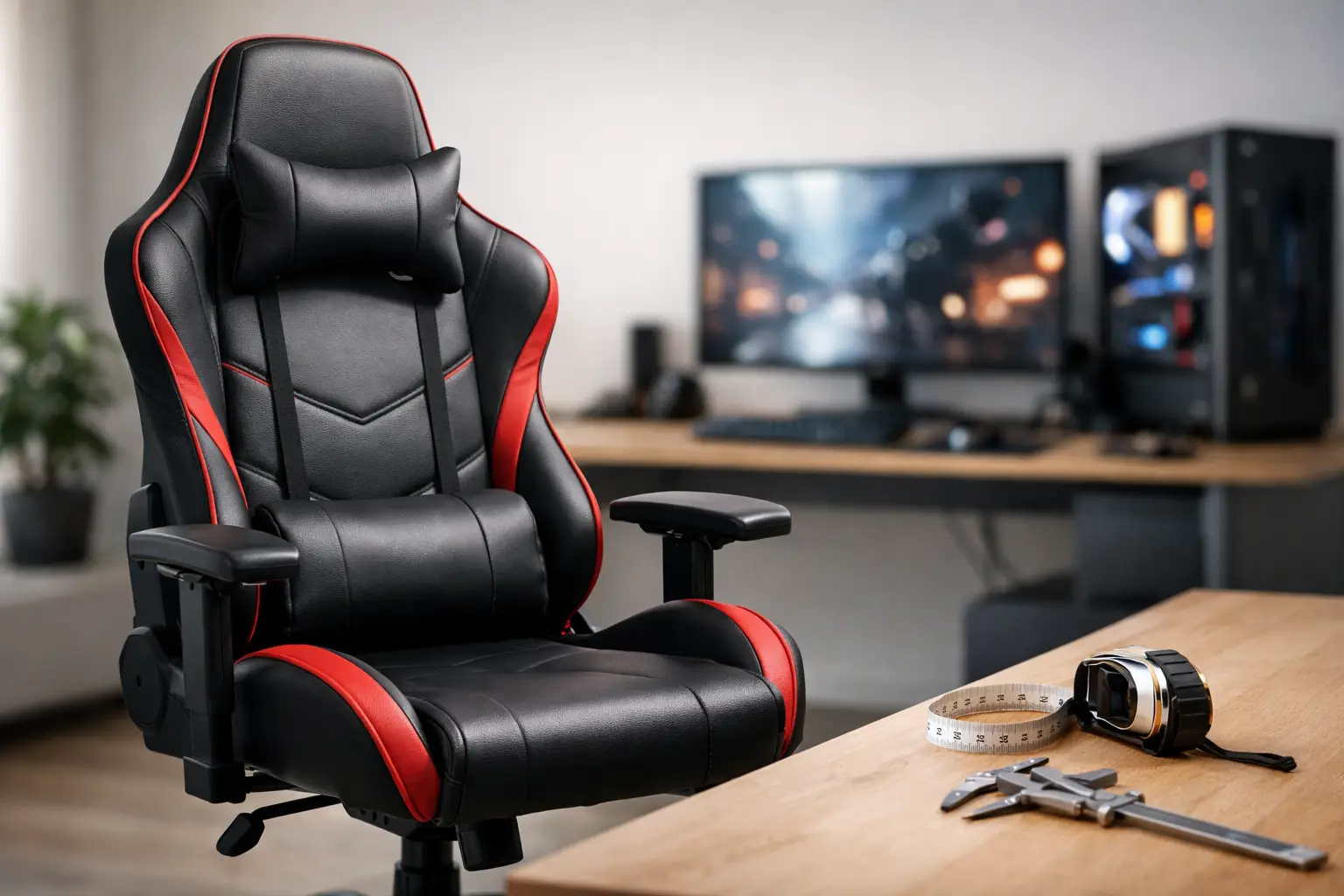
A gaming chair that looks great in pictures can quickly become uncomfortable after a week, causing back pain, pinching the thighs, or simply being too large for your desk. Therefore, a gaming chair buying guide should begin not with color, brand, or promotions, but with your body, your sitting hours, and the space where the chair will be placed. Someone who plays for an hour a day needs something different than someone who works from home for eight hours and continues to game in the evening.
First and foremost: Measure the user and the computer setup
The most important measurement for a chair isn’t the height of the backrest, but rather how well it fits the user. Check the height and weight range specified by the manufacturer, but don't treat it as a general recommendation. A higher weight range often indicates a stronger base and mechanism, but it doesn’t guarantee that the seat will be wide or deep enough.
The seat height should allow your feet to rest flat on the floor, with your knees at approximately a 90-degree angle. If you’re relatively short and the minimum seat height is too high, even a quality chair won’t solve the problem. In such cases, you can use a footrest, but it’s better to choose a model with a lower height range from the start.
Seat depth is equally important. Sit back so your back touches the backrest and ensure there's a few centimeters between the edge of the seat and the back of your knee. A seat that is too deep puts pressure behind the knees and pushes your back away from the backrest. A seat that is too short reduces support for the thighs, especially during prolonged periods of sitting.
Before ordering, measure the width of the desk, the distance from the wall, and the height of the work surface. Wide armrests can get stuck under the table, and a chair with a large base may be less comfortable in a small room. If you use dual monitors or a wide keyboard, consider the need for lateral movement as well.
A Guide to Buying a Gaming Chair: Comfort is a Holistic System
Many gaming chairs are designed in the style of racing seats, featuring a high backrest, separate cushions, and pronounced sides. This design may suit those who enjoy a confined seating feel, but it doesn't necessarily fit all body types. A user with broad shoulders or hips may feel restricted by the sides, even if the chair is designated as 'large.'
Lower back support is a key feature worth examining closely. An external cushion is a common solution, but it doesn’t always stay in the precise position. Built-in and adjustable lumbar support usually offers a more precise and elegant fit. If you tend to change positions throughout the day, look for mechanisms that can adjust both in height and depth, and not just a strap-on cushion.
The headrest also plays a role, but not all the time. It's mainly intended for moments of rest, watching, or reclining. During typing, mouse work, or competitive gaming, your head should remain balanced over your shoulders, not pushed forward into the cushion. An adjustable headrest will accommodate more users than a fixed cushion at the top of the backrest.
Reclining is a useful feature, but it's important to understand what exactly you're getting. A rocking mechanism allows for slight movement of the seat and backrest together. A quality synchronous mechanism changes the angle of the seat and backrest in a different ratio, which generally feels more natural during long periods of sitting. Tilt locks at various angles offer flexibility, while a single angle lock is sufficient mainly for those who sit up straight most of the time.
Armrests: The Factor That Affects Your Shoulders
Non-adjustable armrests should only be considered if the desk height and your body size naturally match them. Armrests that are too low leave your shoulders unsupported, while those that are too high can cause your shoulders to rise and may obstruct you from sliding the chair under the desk.
In advanced models, you will find 2D, 3D, or 4D armrests. The numbers describe the adjustment directions: height, forward and backward movement, lateral movement, and inward or outward rotation. Not every user needs 4D, but for those who work for hours with a keyboard and mouse or alternate between gaming, writing, and video calls, this level of adjustability can be noticeable on a daily basis.
The aim is to rest your forearms gently, without leaning on them with your full body weight or raising your shoulders. Adjust the armrests to the desk height, and then ensure that your mouse and keyboard remain close enough. Armrests positioned too far from the body can encourage slouching.
Upholstery and Cover Materials: More Than Just Appearance
Synthetic leather is common in gaming chairs due to its sleek appearance and easy maintenance. It can be wiped clean and is suitable for those who prefer a striking gaming design. However, it tends to get hot and sweaty in summer, especially in non-air-conditioned rooms or during long sitting periods. The quality of synthetic leather varies between models, so it's good to check the type of covering and warranty conditions.
Mesh fabric excels in ventilation and feels more pleasant in warm climates. It’s more commonly found in ergonomic office chairs, but there are gaming models with mesh backs or a mesh combination. The possible downside is that it may feel different from foam padding, and sometimes lacks the classic gaming chair appearance.
Padded fabric usually offers a good balance between pleasant touch and ventilation, but requires more attention for cleaning. If you eat or drink near the computer, check if the covering is stain-resistant and how easy it is to care for. Don’t purchase based on color images alone: a light shade may look great in a room, but will require more frequent maintenance.
Regarding foam, higher density usually lasts better and retains its shape over time. However, very firm foam isn’t necessarily comfortable from day one. A good chair should provide support without feeling like a bench, distributing pressure without sinking all the way to the base.
Frame, Gas Lift, and Wheels: Where Compromises Shouldn't Be Made
Under the upholstery are the components that determine the chair's longevity. Check if the base is made of metal, aluminum, or reinforced plastic, and what the gas lift rating is. A quality gas lift, stable frame, and reliable tilt mechanism are more important than LED lighting or decorative cushions.
Wheels need to be suitable for the flooring. Polyurethane wheels are considered a good choice for hardwood, laminate, and delicate floors, as they move more quietly and reduce marks. On thick carpet, you might feel more resistance, and in that case, a chair mat can improve movement and protect the floor.
It's also worth checking the wheel diameter and the base size. A wide base improves stability, but it needs to fit the available space. If you tend to lean back, don’t skip the weight limit check and the quality of the locking mechanism.
Aligning Your Budget with Usage Hours
A basic chair might be suitable for a youth room, a secondary workstation, or use for a few hours a week. In a medium budget, you should expect proper height adjustment, at least partially adjustable armrests, a stable base, and decent upholstery. For daily extensive use, investing in a model with adjustable lumbar support, a quality tilt mechanism, and durable materials may be more worthwhile than frequently replacing a cheap chair.
Don’t just compare sticker prices. Check what’s included in the package, the warranty period, who provides it, and what happens in the case of a defective part. In a gaming chair, there are moving parts, so clear warranty terms on the gas lift, mechanism, and base are of real value. When comparing models at TopMarket or any other store, compare specs against specs, not just picture against picture.
If you're deciding between a gaming chair and an ergonomic office chair, the choice depends on use. A gaming chair is suitable for those who prefer a high backrest, significant tilt capability, and a gaming aesthetic. An ergonomic office chair may be more appropriate for continuous work, especially if it features advanced adjustments for the back, seat, and armrests. There’s no one-size-fits-all choice—there’s a choice that fits your body, table, and usage routine.
Quick Purchase Checklist Before Ordering
Before adding a chair to your cart, ensure that the following questions have clear answers:
- Does the height range, seat width, and depth suit the primary user?
- Do the armrests fit under the desk and allow for work without raising the shoulders?
- Is there lumbar support that fits the user's back structure and isn’t just a generic cushion?
- Is the covering material suited to the room's temperature and the level of maintenance you’re willing to undertake?
- Are the base, gas lift, wheels, and warranty conditions detailed in the specifications?
A good chair doesn't have to be the most expensive model, nor does it need to resemble a racing car seat. Choose a model whose dimensions and mechanisms align with your actual sitting routine, and enjoy a position that remains comfortable long after the game has ended.

