
and be the first to learn about all promotions and offers!
- 5 Akhad Ha'am St., Netanya, Israel

- Phone: +97298821001
- Sunday - Thursday: 11:00 - 24:00
Friday: 11:00 - 16:00
Saturday and holiday: 20:00 - 24:00 - Contact us form
+972 9-882-1001
Sunday - Thursday: 11:00 - 24:00
Friday: 11:00 - 16:00
Saturday and holiday eve: 20:00 - 24:00
Email info@topmarket.co.il
Address
Switch vs. PlayStation - How to Choose Wisely?
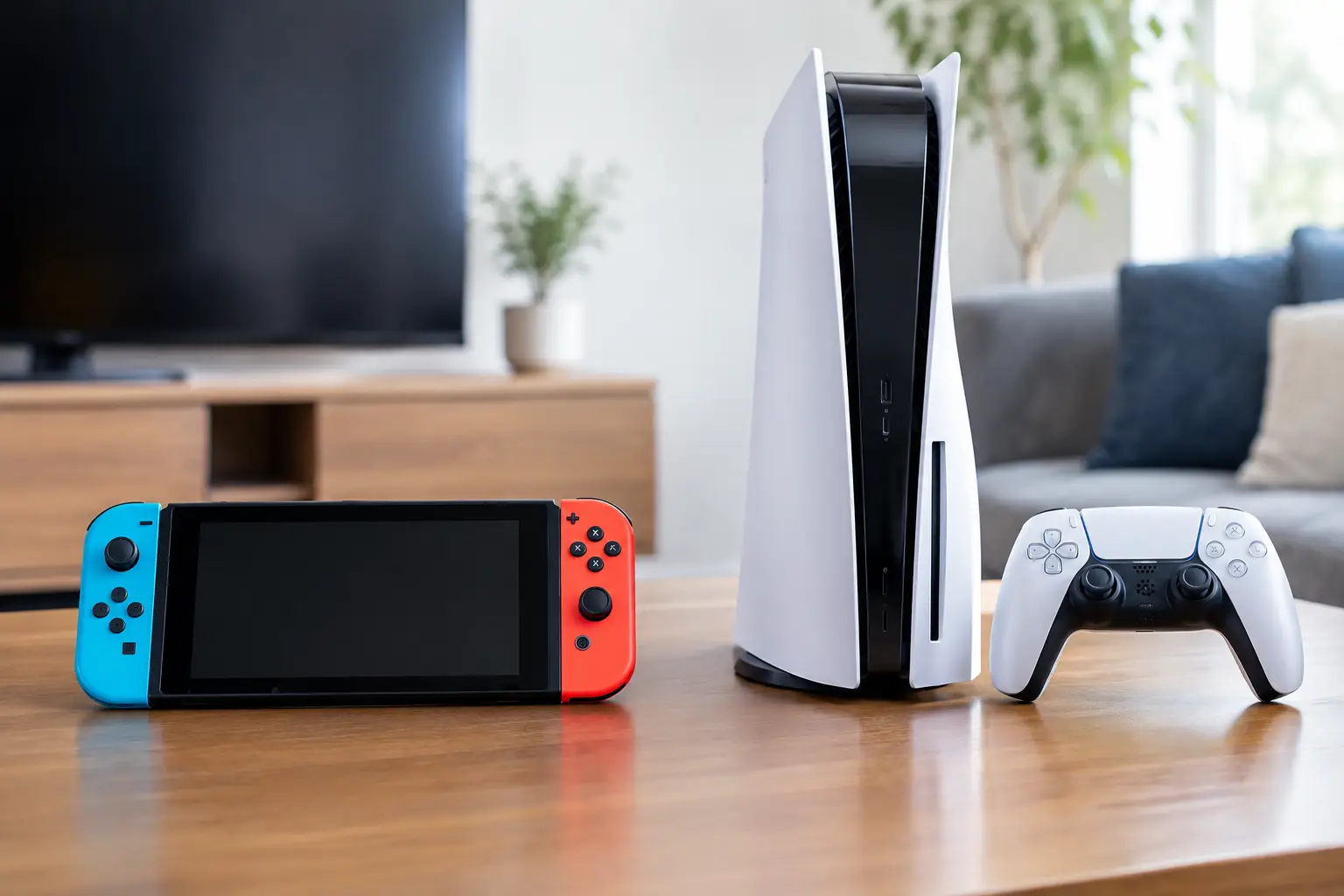
The debate between Switch vs. PlayStation usually starts with one game that the kids want, but the right choice should take the entire user experience into account: who will play, where you will play, what screens you already have at home, whether online gameplay is required, and what the costs will be even after purchasing the console. Nintendo Switch and PlayStation serve very different audiences, so there's no definitive winner here—there's a console that better fits your needs.
Switch vs. PlayStation: The Difference Starts with the Type of Game
Nintendo Switch is built around accessible, colorful, and social gaming. The franchises associated with Nintendo, like Mario, Zelda, Pokémon, Mario Kart, and Super Smash Bros, offer experiences suitable for those who don’t play every day. You can connect it to the TV, take it out of the dock, and continue playing handheld, or split the Joy-Con controllers for two players for a quick game in the living room.
PlayStation, especially the PS5 models, caters more towards a cinematic and technically rich gaming experience. It’s suitable for action, sports, racing, shooting, open-world, and long adventure games with detailed graphics. The game catalog includes family titles, but the focus is on games that take advantage of a large screen, good sound, and extended playtime.
Therefore, before comparing specifications, it’s wise to check which games are truly of interest to the users. A powerful console isn’t the best choice if the games that excite the kids are only available on Nintendo. Conversely, those who are waiting for new sports games, big action titles, or advanced graphics experiences may feel limited with just a Switch.
Portability vs. Performance: What Matters More to You?
The clear advantage of the Switch is its flexibility. A standard model or one with an upgraded screen allows for gaming at home and on the go, in the bedroom, at friends' houses, or while waiting. This is a practical option for a family with one TV, an apartment where the living room isn’t always available, or for kids who want to play without taking over the main screen.
The Switch Lite model focuses even more on portability and has a lower entry price, but it is designed primarily for handheld play and does not connect to the TV. It’s important to take this into account beforehand: it may be suitable for personal use, but less so for family gaming on a large screen.
PlayStation is a stationary console. It requires a connection to a TV or monitor, a designated place, power, and as stable a network connection as possible. In return, it delivers much higher performance: faster load times, detailed graphics, support for high resolution, and advanced refresh rates in compatible games. To get the most out of it, it is advisable to use a high-quality TV or monitor with the appropriate connection.
If there’s already a gaming monitor or a large TV in your home, PlayStation can become a significant entertainment hub. If use is expected to occur in different locations, the Switch offers a simpler solution that doesn't rely on a fixed screen.
Playing Alone, with Friends, or with the Whole Family
Local multiplayer gaming weighs heavily in the decision. The Switch is particularly user-friendly for two-player or group gaming at home, as the detachable controllers allow you to start a game for two participants without immediately having to buy an extra pair of controllers. Mario Kart, sports games, and party games are clear examples of this.
However, when the family often plays together, it's worth checking how many comfortable controllers are actually required. The small controllers that come with the console are suitable for casual gaming, but regular players might prefer a separate, more comfortable controller. This cost should be factored into the budget, not just the console price.
In PlayStation, local play is definitely possible, but the experience is more tailored to a single player or online play with friends. Football, fighting, and racing games work well on the same couch, but for two or more players, an additional controller is usually required. The advantage is that the full controller is comfortable for long gaming sessions and offers more precise control.
Graphics, Storage, and Response Time
When it comes to hardware power, PlayStation is in a different category. It’s designed for large modern games, detailed worlds, advanced visual effects, and surround sound. Those who are familiar with games through gaming PCs or expect impressive graphics on a large screen will generally get a better outcome from PlayStation.
The Switch does not compete in this arena, and that’s not its purpose. Its games are tailored to the hardware and use clever artistic styles instead of chasing after realism. On the console screen or a home TV, Nintendo games can look excellent, but don’t expect the same sharpness, refresh rate, or graphical complexity as the PlayStation 5.
The storage capacity also needs checking. Modern digital games can take up significant space, especially on PlayStation. On Switch, a suitable memory card allows for easy expansion of digital game space. PlayStation has extension solutions, but it’s important to ensure compatibility with the model and speed requirements. Making the right purchase includes planning not only for the console but also for the storage capacity you’ll need in the upcoming year.
Total Cost: Don’t Just Look at the Console Price
The initial purchase price is only part of the picture. Before making a decision, consider the costs of games, an additional controller, headphones, a memory card or storage expansion, an online gaming subscription, and sometimes even a charging station or carrying case. Promotions and bundles can greatly influence the purchase's attractiveness, especially when they include a game or accessory you were already planning to buy.
On Switch, Nintendo's exclusive games tend to hold their value over time and don't always drop in price quickly. On PlayStation, a wide selection of games and digital deals may reduce costs down the line, but major new titles can be expensive on launch day. There’s no one-size-fits-all rule—it's essential to estimate how many games you expect to buy in practice, rather than base your decision on the price of a single title.
Subscriptions are another consideration. On both platforms, online gameplay for some titles and additional services may require a subscription. On PlayStation, subscription plans can grant access to a changing catalog of games. On Nintendo, the subscription focuses more on online gaming, perks, and specific content. Check the plan's conditions and your preferred games before adding it to your cart.
Suitability for Kids, Teens, and Experienced Gamers
Switch is a natural choice for young children and families looking for a simple console to operate. The interface is friendly, many of the games are suitable for various ages, and the portability adds convenience. Still, it’s crucial to set parental controls, time limits, and approved purchases in the digital store.
For teenagers, the decision mainly depends on their friend circle and which games are popular among them. If all their friends are playing the same games on PlayStation, that online experience may be a deciding factor. If the user enjoys Nintendo’s worlds, plays in family gatherings, and values portability, Switch can also be suitable into older age.
Experienced gamers looking for performance, a wide game library, and advanced peripherals will often lean toward PlayStation. It’s also ideal for those who already have a quality monitor, gaming headphones, and a good home network. On the other hand, many own both consoles: PlayStation for big games in the living room, and Switch for exclusives, travel, and social gaming.
What Accessories Should You Consider Adding to Your Purchase?
The right accessories can impact everyday use more than you might think. For Switch, a protective case and a memory card are often particularly useful additions, along with an extra controller if playing with friends. A screen protector can be a sensible choice for a console that travels in a bag frequently.
For PlayStation, an extra controller is the first addition to consider in a household with more than one player. Headphones with a microphone are suitable for online gaming, and a charging station keeps controllers readily available. If the console is connected to a computer monitor, check in advance that the monitor has the appropriate connection, comfortable resolution, and refresh rate that meets your expectations.
In any case, it’s best to purchase equipment that truly meets a regular usage scenario. Many accessories may seem attractive at the time of purchase, but an extra controller, sufficient storage, and clear warranty are generally more important than decorative extras.
So What to Choose in Practice?
Choose the Switch if you are looking for a portable console, family-friendly games, exclusive Nintendo titles, and the ability to play almost anywhere. It is especially suitable for households that play together, for children who prefer accessible games, and for those who do not want to be dependent on a TV.
Choose PlayStation if the priority is advanced graphics, large games, high performance, and online play with friends. It’s suitable for users looking to build a home gaming station and take advantage of a quality TV or monitor.
Before ordering, write down the three games you most want to play, the number of regular participants, and the accessories you will need on day one. These simple answers will lead to a more accurate choice than any specification comparison — and to equipment that will continue to serve you even after the excitement of the new box cools off.
- 5 Akhad Ha'am St., Netanya, Israel
- Phone: +97298821001
- Sunday - Thursday: 11:00 - 24:00
Friday: 11:00 - 16:00
Saturday and holiday: 20:00 - 24:00 - Contact us form

© 2002 - 2026 TopMarket.co.il - Powered by AnyWeb.co.il
