

The Best Keyboards for Office Work by User Type
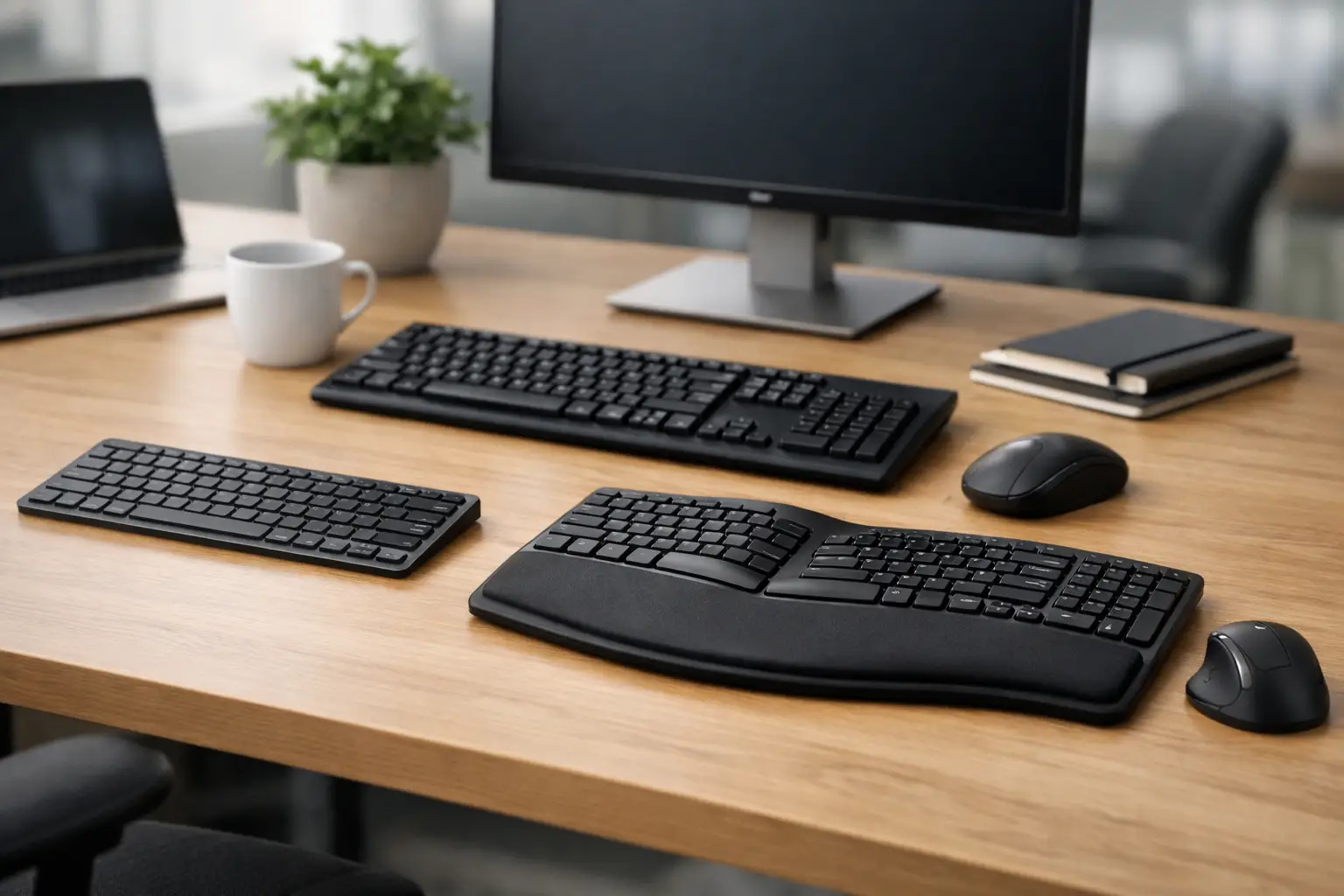
An office keyboard works harder than it seems: hundreds to thousands of keystrokes a day, shortcuts, switching between sheets, video calls, and emails. Therefore, when looking for the best keyboards for office work, it's not enough to choose a model that looks good or is on sale. The right keyboard should be tailored to the type of work, desk space, the computer used, and the comfort that allows you to keep working efficiently even in the last hour of the day.
For someone who enters data, a full-sized keyboard with a numeric keypad is generally the most practical choice. For those working with laptops, external monitors, or multiple setups, wireless connectivity and quick switching between devices may be more important. The difference between the two keyboards may seem small on paper, but it makes a noticeable impact during a workday.
First and foremost: Match the keyboard to the nature of the work
The right choice starts with a simple question: what do you do most of the day? Long document typing requires stable, spacious keys with pleasing feedback. Accounting, operational, or logistics work often necessitates a full keyboard with a Numpad to input numbers without having to switch to the number row at the top.
Users who primarily work with browsers, CRM systems, office software, and Teams or Zoom calls might get more value from dedicated shortcut keys, a volume wheel, or media control keys. Conversely, those who travel between home and the office may prefer a compact and lightweight keyboard, even if it sacrifices the numeric keys.
There isn’t a one-size-fits-all solution. A full-sized keyboard is the most comprehensive option for a permanent setup, while TKL models without a numeric area leave room for the mouse. More compact keyboards are suitable for minimizing desk clutter, but some keys require a combination with the Fn key. This is a space-saving feature, not necessarily an upgrade for every user.
Wired or Wireless Connection
A wired keyboard still excels in simplicity. Just plug the USB into the computer and start working, with no need for charging, batteries, or wireless setup. It's particularly suitable for service positions, desktops, training rooms, and bulk purchases for businesses. Budget-wise, reliable wired models can often be found at very accessible prices.
A wireless keyboard creates a tidier desk and facilitates switching between setups. It's essential to distinguish between Bluetooth connections and a 2.4GHz wireless USB receiver. Bluetooth is useful when needing to connect the same keyboard to a laptop, tablet, or another computer, and often allows switching between two or three devices with the press of a button. A USB receiver is a convenient choice for a stationary workspace and typically requires minimal setup.
Before purchasing, it’s wise to check the connection types available on the computer. Thin laptops sometimes have few USB-A ports, making Bluetooth a handy alternative. In businesses where users share positions, a small receiver that might get lost can be a real operational consideration. Some models also offer dual or triple connectivity options, and occasionally wired connections during charging—flexible solutions for advanced users.
The key type affects the typing feel
Most office keyboards utilize membrane switches, scissor switches, or mechanical switches. Membrane keyboards are common, quiet, and offer good value for general workstations. They are suitable for users who prefer a soft touch and don’t require the precision feel of a mechanical switch.
The scissor mechanism, commonly found in laptop keyboards, provides a short and stable action. This is a good choice for fast typists who prefer a low profile. Keyboards like this also fit well in modern setups with screens and laptops because they are thin and easy to move.
Mechanical keyboards provide more noticeable feedback and often have higher long-term durability. However, not all mechanical switches are suitable for open office settings. Clicky switches can be noisy and disruptive, while linear or tactile switches that are quieter can also be appropriate for professional work. It's important to remember that a mechanical keyboard isn't essential for office work—it mainly benefits those who type a lot and personally prefer that feel.
Noise, height, and key pressure
The noise level is influenced not only by the switch type but also by the keyboard's structure, the material of the keys, and the desk it rests on. In a shared office, a quiet model is usually the safer choice. At home, personal preference can take precedence without considering those around you.
The height of the keyboard is also important. A tall model may require a wrist rest, particularly for those working long hours. A low keyboard allows a more natural posture for some users, but not everyone likes the short key travel. Personal comfort can’t be replaced, so it's advisable to compare different types and not rely solely on an image or brand name.
Layout, language, and operating system compatibility
In an office keyboard, the layout is just as important as the connection type. Users typing in Hebrew and English should check whether the keys feature clear bilingual printing. Stickers can be a possible solution, but on a keyboard used daily, they might wear out or become less comfortable. A keyboard with original Hebrew and English markings is usually the more organized and durable option.
For users in the US or international work environments, the ANSI layout is extremely common and features a wide horizontal Enter key. Those accustomed to different layouts should pay attention to the shape of the Enter, left Shift, and the placement of punctuation marks. A slight change in layout can slow down typing for weeks, even if the keyboard itself is of high quality.
Also, check compatibility with Windows, macOS, ChromeOS, or mobile devices. A keyboard designed for Windows typically works with Macs, but the Command and Option keys may not always be comfortable. Multi-platform models sometimes include dual keys or options to swap key caps, making it easier to work as a team across different computer types.
Ergonomics is a work specification, not an add-on
Pain in the wrist, shoulders, or neck doesn’t always stem from the keyboard itself, but it is undoubtedly part of the setup. A keyboard should be positioned at a height that allows relaxed elbows and neutral wrist positions as much as possible. If the keyboard is high, foot elevations aren’t always the right solution: sometimes, lowering the angle or adding a thin wrist rest can improve posture.
Split or concave ergonomic keyboards might suit users who experience discomfort during extended typing sessions. They require an adjustment period and may take up more space, so they aren't a default choice for every office. For most users, a good quality standard keyboard at the right height with sufficient space for the mouse will provide a significant improvement.
Pay attention to the mouse placement as well. A full-sized keyboard tends to push the mouse to the right due to the numeric area. For those who primarily work with a mouse and type numbers infrequently, a TKL model may decrease the distance and feel more comfortable throughout the day.
Features worth the money and features you can skip
Backlighting is useful in dim offices, for early morning work, or in the evenings, but it's not a requirement for a good office keyboard. On wireless models, it can even shorten battery life. Simple white lighting is usually sufficient for those who genuinely need it, while RGB lighting is generally a matter of preference rather than productivity.
Programmable shortcut keys can save time for employees who repeat specific tasks, such as launching applications, muting a microphone, or entering commands. Not every user requires advanced macro configuration software, and sometimes a simpler keyboard will be easier to manage and support.
Spill resistance is an advantage in an environment where coffee and water are always within reach, but it doesn’t make the keyboard liquid-proof. Regular cleaning is essential, especially for keyboards with deep grooves, and it's wise to choose a model with clear warranty terms when purchasing for a business or team.
How to choose by budget and for bulk purchases
On a basic budget, focus on a comfortable layout, reliable connection, and readable markings. There’s no need to pay extra for backlighting, Bluetooth, or mechanical switches if they don’t fulfill a genuine need. For a simple home setup or an office with dozens of users, a full-sized quiet wired keyboard may be the most efficient choice.
With a mid-range budget, you can look for wireless options, scissor keys, long battery life, multi-device compatibility, and better ergonomic support. At the premium level, you'll find quiet mechanical models, ergonomic keyboards, and quality solutions for users who type many hours a day.
When purchasing for a team, consistency is as important as the price per unit. The same model simplifies replacements, support, ordering additional equipment, and new employee acclimatization. Check for stock availability, warranty terms, and precise specifications before making a decision, especially when bilingual layouts or compatibility across multiple operating systems are required.
The right keyboard shouldn't draw attention while you work—it should allow you to type, navigate, and complete tasks without thinking about it. Choose based on usage hours, task type, and actual setup, rather than a single flashy feature on the packaging.

