

What’s the Difference Between a Router and a Range Extender, and How Do You Choose?
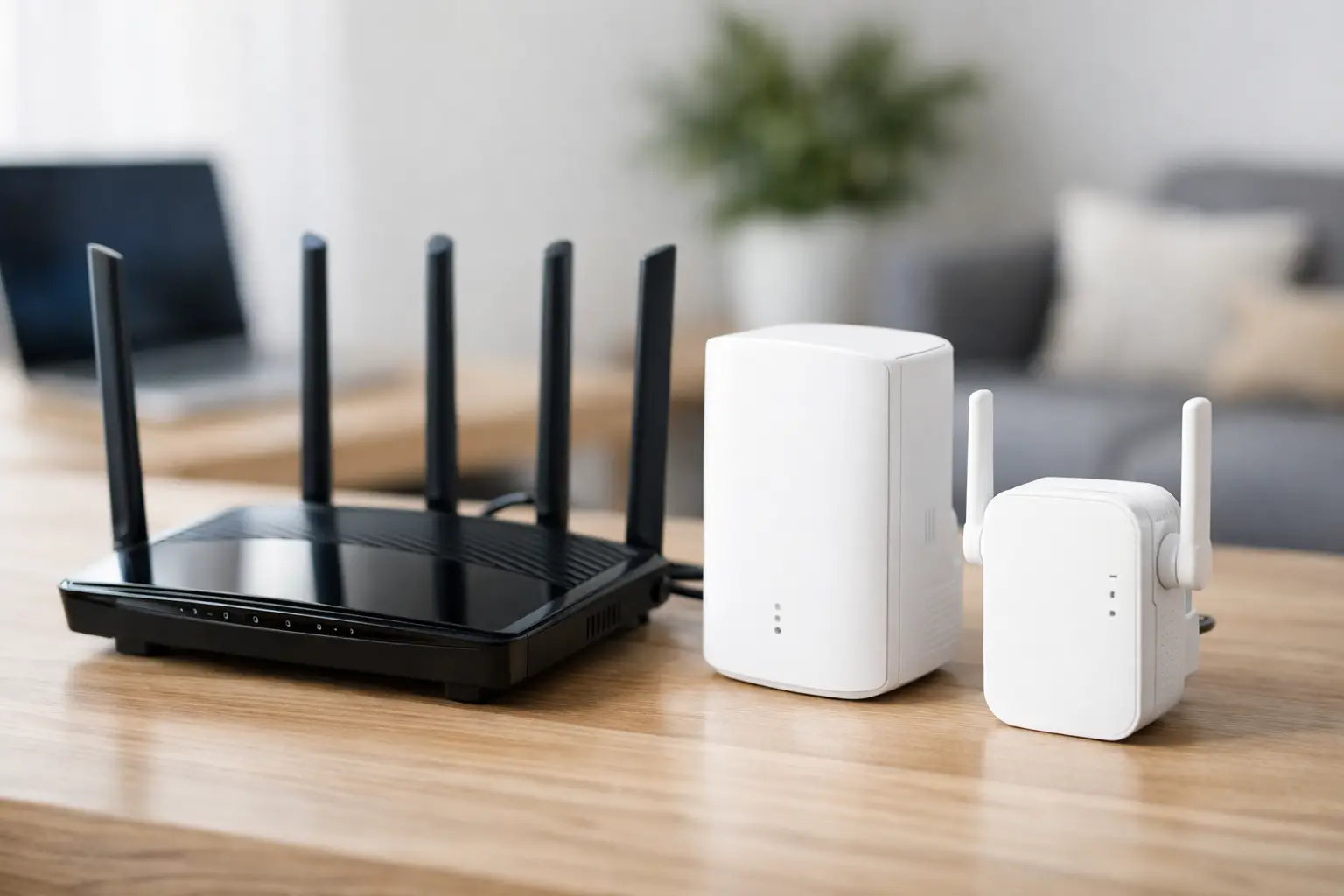
The video in the living room is buffering, calls in the home office are dropping, and in the children's room, there's only reception near the door. In such a scenario, the question of the difference between a router and a range extender is not theoretical – it determines whether you solve the problem or merely shift it to another corner of the house. A quality router is the backbone of your network; a range extender is designed to expand existing coverage. The right choice depends on the size of the space, the infrastructure, the number of devices, and the speed requirements in each room.
Router vs. Range Extender: The Main Difference
A router is the device that manages the local internet network. It connects to a modem or fiber unit from the ISP, assigns IP addresses to computers, phones, smart TVs, and consoles, and facilitates traffic between them and the internet. The router creates the Wi-Fi network, sets security settings, and often includes advanced features like parental controls, guest networks, prioritization for gaming, or device management through an app.
A range extender, also known as a Wi-Fi extender or repeater, does not replace a router. It receives the wireless signal that the router is already transmitting and re-broadcasts it to areas where the signal is weak. Therefore, it entirely depends on the quality of the signal at its installation point. If the extender is placed where Wi-Fi is nearly nonexistent, it won't have a quality signal to extend.
In simple terms: the router is responsible for creating the network and its performance; the range extender expands the reach of that network. In a small home with a weak or outdated router, a range extender may not always be the right solution. However, in a house where the router is well-placed and only one distant room suffers from weak reception, it can be an efficient and cost-effective solution.
Comparison Table: Router vs. Range Extender
| Feature | Router | Range Extender | |---|---|---| | Main Role | Creating and managing the home or office network | Expanding coverage of an existing network | | Internet Connection | Connects to a modem or fiber infrastructure | Connects to the router, usually wirelessly | | Impact on Speed | Determines a large part of network performance | May reduce speed, depending on connection and location | | Security and Management | Includes network settings, password, guest network, and controls | Generally relies on the router's settings | | Best Suited For | Replacing weak or outdated Wi-Fi infrastructure | Addressing one or two weak signal areas |
Why Can a Range Extender Slow Down Your Connection?
A wireless range extender simply receives data from the router and then sends it back to the device, and vice versa. When the same frequency band is used for both receiving and re-transmitting, part of the bandwidth is dedicated to this dual operation. The result can be a noticeable drop in speed, especially when streaming 4K content, downloading large files, participating in video calls, or playing online games.
This doesn’t mean that all range extenders are slow or undesirable. Dual-band models can work on both the 2.4GHz and 5GHz frequencies, and more advanced models offer a dedicated band for connecting with the router. The better the connection between the router and the extender, the greater the chances of achieving usable performance even in the distant area.
It's also important to match the Wi-Fi standard. A router or extender with Wi-Fi 6 standard can handle a busy household with compatible devices better, but it won't negate the limitations of a slow infrastructure, thick concrete walls, or problematic placement. An advanced specification is an advantage, not a magic solution.
When Should You Replace the Router Instead of Buying a Range Extender?
If the router is several years old, installed inside a closed communication cabinet, or struggling to provide coverage even in adjacent rooms, it's worth considering replacing the router first. Older routers, especially basic models with Wi-Fi 4 or early Wi-Fi 5 standards, weren't designed to handle the load of dozens of connected devices: phones, laptops, security cameras, smart plugs, streaming devices, printers, and consoles.
Replacing the router is also relevant when the ISP's package speed is high, but the measured speed near the router is significantly lower. In such cases, the issue may lie with the router, the Ethernet cable, the frequency setting, or the connection between the modem and the router. A range extender won't enhance speeds that the router itself cannot provide.
For users who game online, work with cloud files, or run a workstation with frequent video calls, a router with Gigabit ports, Wi-Fi 6 or Wi-Fi 7 support, a suitable processor, and QoS options can be a better investment. QoS allows prioritizing delay-sensitive traffic, such as online gaming or Teams calls, when other household members are downloading files or streaming content simultaneously.
Where Should You Place a Range Extender for Optimal Results?
Placement is as crucial as the model. You should position the extender approximately halfway between the router and the weak signal area, at a point where the signal from the router is still stable and strong. Installing it in a room where there is almost no reception at all will mean that the extender will broadcast a weaker signal over a greater distance, which won’t enhance the experience.
Avoid positioning it behind the TV, inside a cabinet, near a microwave, beside a cordless phone base, or close to large metal surfaces. Reinforced walls, safe rooms, concrete floors, and plumbing systems can significantly weaken the signal. In an apartment with thick walls, even an advanced extender may not suffice if it has to pass through several barriers.
After installation, it's advisable to run a speed test both near the router and at the usage point. It’s not enough to measure just the number of reception bars on your phone. You could have full reception but low speed, high congestion, or problematic latency. Key metrics include download speed, upload speed, stability, and ping, especially for remote work and gaming.
Wired Connection to Access Point: The More Stable Option
If it’s possible to run an Ethernet cable from the router to the distant room, a dedicated access point or another router configured as an access point will often be preferable to a wireless range extender. The cable transmits data without losing bandwidth due to reception and retransmission, and the access point provides new and strong Wi-Fi in the area it is connected to.
This solution is particularly suitable for a small office, a dedicated workspace, a gaming station, or an additional floor in the house. It requires more planning and installation but offers a more stable long-term result. In some models, you can also use the Ethernet connection as backhaul for a mesh system, thus enjoying uniform coverage without overburdening the wireless link between the units.
What’s the Difference Between a Range Extender and a Mesh System?
A mesh system consists of a main router and additional units designed to work together as one unified network. Instead of thinking of each unit as an independent extender, the system centrally manages devices and their transitions. When moving from the living room to the bedroom, your phone can switch to the closer and stronger unit without staying connected for too long to a weak signal from the other end of the house.
A basic range extender may create a separate network, such as Home_EXT, requiring a manual switch between networks. Some models allow using the same network name, but the quality of the transition still varies based on the device and settings. A mesh system is more suitable for large homes, multi-room apartments, homes with two stories, or spaces with several weak reception areas.
The price of a mesh system is typically higher, making it not necessarily the economical choice for a two-room apartment. If there is only one problematic point, a quality dual-band range extender is likely a more precise purchase. If the problem appears in three rooms, on the balcony, and on another floor, a mesh system will save experiments, adapters, and replacements down the line.
Specifications to Check Before Buying
Don’t choose solely based on the number of antennas. Check the Wi-Fi standard, the number of bands, the advertised link speed, the number of LAN ports, support for Gigabit or higher speeds, compatibility with mesh, and security options like WPA3. In a home with a high-speed internet package, a 100Mbps Ethernet port could become a bottleneck even if the wireless coverage appears excellent.
For gaming or a desktop computer, check if it’s possible to connect the device directly to the range extender or access point via cable. This connection may not always match a direct cable to the router, but it can be more stable than a Wi-Fi link from the computer. For smart cameras and smart home devices, the 2.4GHz band is sometimes more critical than peak speed, as it reaches further and is compatible with many older devices.
The number of users also matters. A couple working from home with two phones and a smart TV requires a different solution than a family where gaming computers, consoles, cameras, tablets, and streamers are all in use simultaneously. Tailoring the product to the usage scenario will save you from making a purchase that's too cheap, leading to an upgrade shortly afterwards.
Before Replacing Equipment, Check the Basics
Sometimes the problem isn’t with the router or extender. Try relocating the router to the most open and central possible location, away from closets and thick walls. Ensure that the firmware is updated, that the device is connected to the appropriate frequency, and that there’s no unusual load of downloads or backups. Also, check the cable between the modem and the router and the speed achieved with a direct wired connection.
If, after checking, there is only one weak area, a quality range extender in the right location is a sensible solution. If the entire network is struggling, start with the router. And if the house is large or built in a way that weakens signals, mesh or a wired access point will provide a better foundation for a network that you’ll need even a few years from now. Choosing based on the actual coverage map in your home, not just the price on the shelf, is the way to get Wi-Fi that works where you really use it.

