

 Install the app
Mechanical Keyboard vs. Membrane Keyboard - Which One is Right for You?
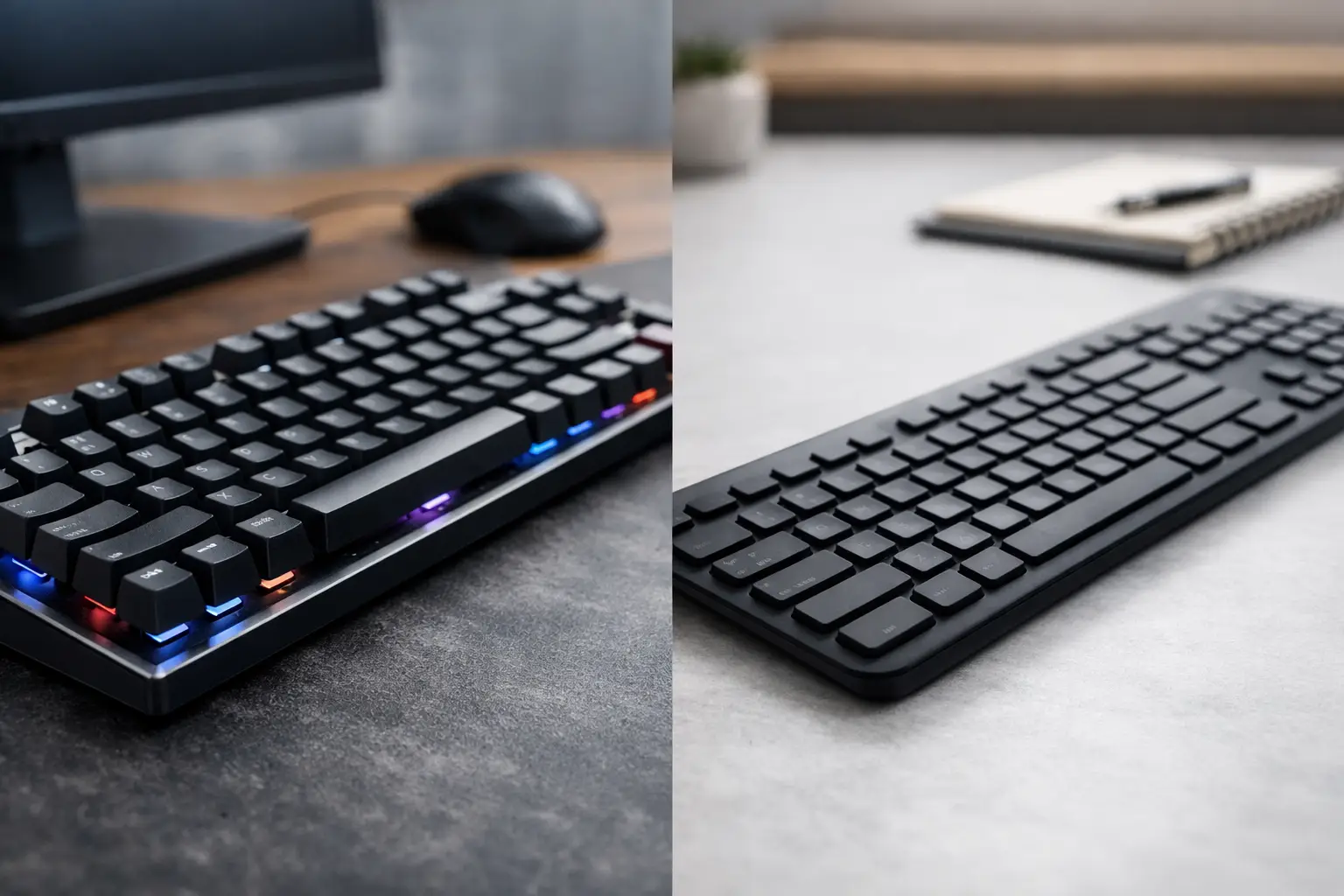
The difference between pleasant typing for eight hours of work and a keyboard that tires your fingers is felt well before you even look at the specifications. When considering mechanical keyboards versus membrane keyboards, the right question isn't just which keyboard is better, but which technology suits your needs: document and email typing, competitive gaming, collaborative office work, or a home computer setup on a specific budget.
A mechanical keyboard is not necessarily the right choice for every user, and a membrane keyboard isn't just a basic solution. Each type has clear advantages, limitations worth knowing, and a broad price range. The right choice begins with understanding the switch mechanism and continues through comfort, noise, reliability, features, and compatibility with other equipment at your workstation.
Mechanical Keyboard vs. Membrane: The Mechanism Difference
In a membrane keyboard, pressing a key activates flexible layers that conduct the signal to the computer. Beneath the keys, there is usually a rubber or silicone dome that compresses and returns to its original position. This is a common, relatively simple, and cost-effective mechanism to produce. As a result, you can find thin, lightweight, and relatively quiet membrane keyboards at very accessible prices.
In a mechanical keyboard, each key includes an independent switch. The switch consists of a physical mechanism with a spring and a defined actuation point. Consequently, the feel is more precise and consistent between keys, and a press doesn't need to bottom out to register. For users who type a lot or game for hours, this difference can be significant.
The advantage of the mechanical mechanism isn't just the feel. Quality switches are usually designed for a very high number of presses, and in certain models, you can even replace switches or keys in case of a malfunction, wear, or a desire to change the typing feel. On the other hand, in a membrane keyboard, a fault in a single key might justify replacing the entire keyboard, especially in basic models.
Typing Feel: Not Every Mechanical Keyboard Sounds the Same
A common misconception is that all mechanical keyboards are loud and all membrane keyboards are soft and quiet. In reality, the type of switch, the housing structure, key quality, and even the typing style all impact the result.
Linear mechanical switches provide relatively smooth movement without a noticeable resistance point. They are especially popular in gaming because presses feel fast and consistent. Tactile switches include a slight resistance feel at the actuation point, making them suitable for those who type text, work with spreadsheets, or write code. Clicky switches add a pronounced sound with each press. They can be very enjoyable for personal use but may be less suitable for open offices, online classes, or shared rooms.
High-quality membranes can offer pleasant typing, particularly in low-profile keyboards or office models with quiet keys. However, the feel is often less sharp: you may need to press deeper, and the actuation point is less clear. Those who type infrequently, browse, study, or primarily work with a mouse may not feel the need for a mechanical keyboard whatsoever.
What’s Better for Gaming?
For gamers, a mechanical keyboard often provides a practical advantage. The perceived response time feels quicker, repeated presses feel accurate, and the keys remain consistent even during long gaming sessions. Many models include Anti-Ghosting and N-Key Rollover, two features that allow the keyboard to identify multiple simultaneous presses without missing commands. This is particularly relevant in shooting games, racing, fighting, and strategy games where several commands are typed together.
Still, not every gamer needs an expensive mechanical keyboard. In casual gaming, sports games, or family use, a good membrane keyboard with comfortable lighting and full-size keys can perform excellently. It’s better to invest in a product that fits the overall budget of the setup than to pay for features that aren’t truly utilized.
If gaming primarily at night, pay attention to the noise level and not just the type of switch. A quiet linear switch or a mechanical keyboard with internal dampening might be more suitable than a clicky switch. The desk surface, keyboard positioning, and typing force also affect the actual noise.
What’s Better for Work, Study, and Office Use?
For office work, there isn’t a one-size-fits-all answer. Writers, programmers, finance professionals, and workers who spend most of their day typing may prefer the precision and feedback of a mechanical keyboard. The keyboard becomes a central tool, so long-term comfort is more critical than a minor price difference.
In an open office or home with other family members, the consideration changes. A quiet membrane keyboard may be the more appropriate choice, even if it's less premium. It takes up less space, is sometimes easier to clean, and often comes with a full layout that includes number keys—a benefit for those working with invoices, Excel, and business systems.
Students and mobile users have another consideration: weight and size. A compact TKL keyboard, lacking the number pad, leaves more space for the mouse and is suitable for smaller desks. A 60% keyboard is even smaller but sacrifices some keys and requires the use of key combinations. It’s suitable for those familiar with the layout and prefer saving space, but less ideal for those relying on function keys and dedicated numbers.
Price, Durability, and Maintenance
Membrane keyboards generally offer an affordable entry point. They are suitable for many office setups, family computers, classrooms, businesses equipping several employees, and those needing a reliable solution without overexerting their budget. Advanced models may offer lighting, media shortcuts, wireless connectivity, and sometimes even basic liquid resistance.
A mechanical keyboard typically costs more, especially when adding RGB lighting, wireless connectivity, a battery, customization software, and advanced switches. However, it’s essential to check what’s genuinely included in the price. A keyboard with a solid build, quality cable, durable keys, proper warranty, and switches from reputable manufacturers can be an investment for years.
Cleaning is important for both types. Dust, crumbs, and hair accumulate between the keys and affect the feel and appearance. With a mechanical keyboard, it may be easier to remove the keycaps and perform deep cleaning, but this should be done gently and only according to the manufacturer's instructions. In any keyboard, liquids pose a risk. Even when splash resistance is specified, it’s best not to place a drink close to the keyboard.
Specifications to Check Before Purchase
Besides the question of whether to choose mechanical or membrane, having the right specifications will save disappointment. Check the type of connection: a wired USB is suitable for those wanting a permanent connection without needing to recharge, while Bluetooth or wireless with a USB receiver is convenient for a clean desk and working with multiple devices. For wireless keyboards, it's important to check battery life, charging while in use, and quick switching between a computer, tablet, or phone.
Also, pay attention to the key layout. Many users in Israel need Hebrew and English printed on the keys, not just stickers. If numbers are frequently used, it’s advisable to choose a full layout that includes a Numpad. If typing in the dark, white backlighting may suffice, while RGB is mainly intended for customization and setting up a gaming station.
In mechanical models, it's good to check if the switches are Hot-Swap compatible. This feature allows changing switches without soldering, but it's not essential for users just wanting a quality keyboard that works. A high polling rate and macro software may be relevant for gamers but less crucial for regular office work.
How to Choose Without Paying for What You Don’t Need
Choosing can be simple when you first define the nature of use. Those who type for many hours and desire precise actuation, high durability, and customization options will generally get more from a mechanical keyboard. Those looking for quietness, an accessible price, a slim profile, and general use will often find good value in a membrane keyboard.
Before placing an order, define four parameters: the work environment and acceptable noise level, the daily hours of typing or gaming, the required keyboard size on the desk, and the overall budget including a mouse, headphones, or screen. This way, you can filter the vast selection based on actual need rather than just lighting or design.
Ultimately, the best keyboard is one that doesn't make you think about it while working or gaming—it’s one that feels right with every press. A wide selection allows you to tailor the keyboard to your setup, budget, and usage style, rather than the other way around.
- How to Choose a Wireless Network for a Retail Store?
- Smart Homes That Truly Fit Your Home and Budge
- <h1>Case Study: An Office Computer Upgrade That Saved Time and Money</h1>
- Recommended Gaming Mice for Large Hands: How to Choose the Right One
- When to Repair or Replace Your Computer Monitor: A Repair Shop’s Guide

