
Guide to Buying a Security Camera for Home, Business, and Outdoor Use
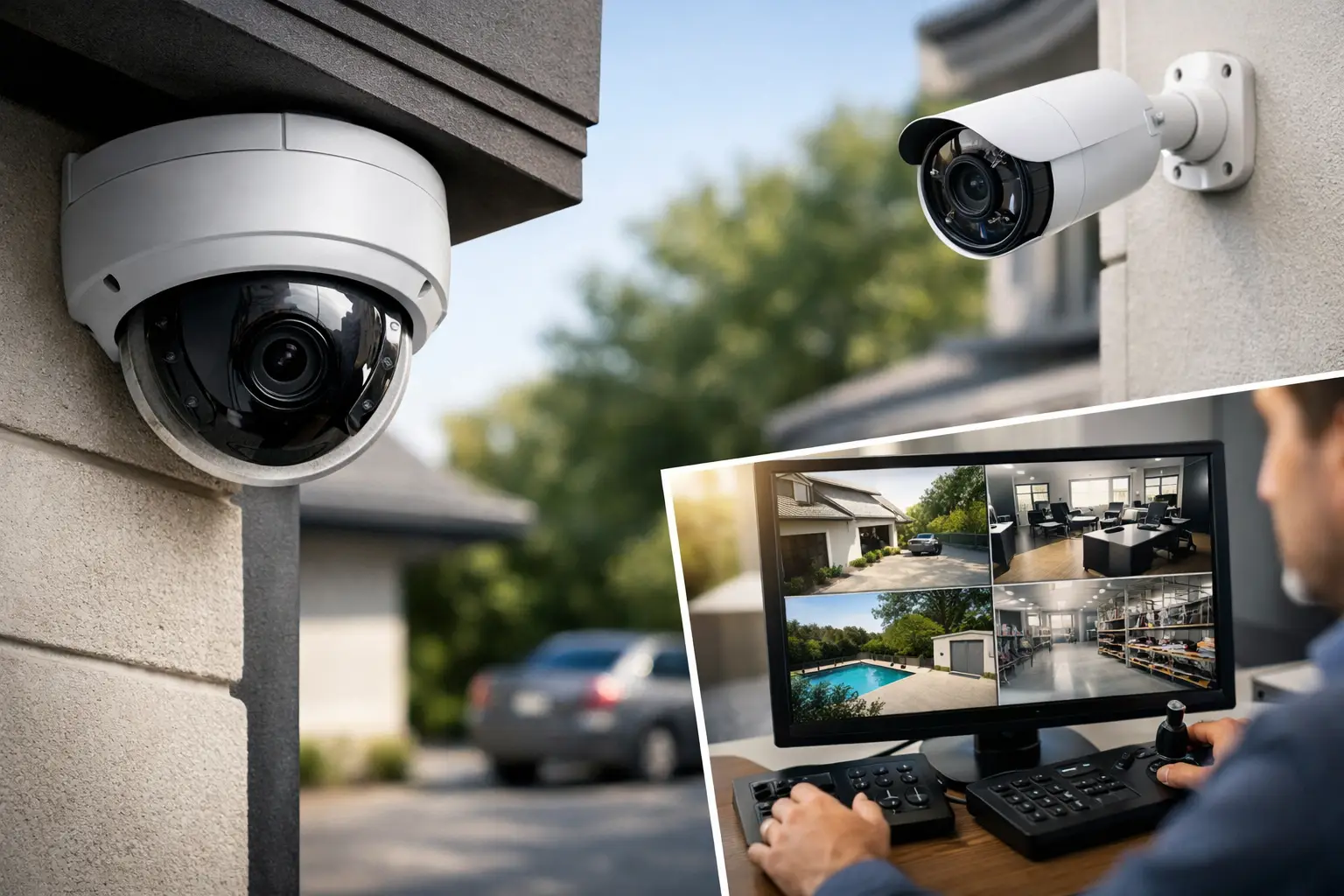
A good security camera isn’t necessarily the one with the longest specification list. It’s the camera that captures the right area, provides useful images even at night, stores recordings in an accessible place, and alerts you without overwhelming your phone. Therefore, a guide to purchasing a security camera should start with a simple question: what exactly do you want to see, and when?
A camera at the entrance of an apartment, a camera for a parking area, a system for a business with multiple cash registers, or coverage for a storage space—these are all completely different needs. Making the right choice saves you from having to make duplicate purchases, incur unnecessary installation costs, and avoids the frustration of recordings where important details can’t be identified.
Guide to Buying a Security Camera by Area of Coverage
Before checking brands, apps, or promotional prices, it’s advisable to define the installation point. Inside the house, you can usually choose a compact Wi-Fi camera powered by an electrical outlet. Outdoors, weather resistance, an appropriate shooting angle for open spaces, and efficient night vision are required.
At the entrance of a home or business, the goal is often to identify faces and see who enters and exits. It’s important to place the camera at a height that prevents easy access, but not so high that you only get pictures of hats and heads. For a parking area or a large yard, a wide angle can cover more ground, but small details at the edge of the frame may be less clear.
In a warehouse, office, or store, consider also dead spots: high shelves, columns, open doors, and changing lighting. Sometimes, two basic cameras positioned correctly may yield better results than one particularly expensive camera. For a business with multiple areas, a camera system with a central recorder is generally a more organized solution than a collection of independent cameras.
Dome Camera, Bullet Camera, or PTZ Camera?
Dome cameras are typically suited for indoor spaces and places where a more discreet appearance is desired. The lens direction is less noticeable, making it a good choice for offices, lobbies, or stores. Bullet cameras are more conspicuous and are easy to aim accurately at a gate, pathway, entrance, or checkout. Their visibility can deter but may also make them a more obvious target for tampering.
PTZ (Pan-Tilt-Zoom) cameras allow rotation, tilt, and sometimes optical zoom. They are suitable for yards, parking lots, or large commercial areas where monitoring movement is necessary. However, they do not necessarily replace fixed cameras: when the lens is focused on one direction, it does not capture the other. It's essential to create coverage rather than rely solely on movement capability.
Resolution, Lens, and Frame Rate: What You Really See
A Full HD resolution is often sufficient for capturing a room, hallway, or close entrance. A 2K or 4K resolution offers more detail and allows for digital cropping of the image, a significant advantage in parking lots, stores, or expansive spaces. The trade-off for this advantage is larger file sizes, higher storage requirements, and sometimes greater demand on the Wi-Fi network.
Choosing 4K solely because of the higher number makes no sense if the camera will record in a very dark area at night or transmit video over a weak network connection. Image quality is also determined by the sensor, lens, lighting, and video compression. A balanced specification is preferable to an impressive single data point.
The lens angle is equally important. A wide-angle lens is suitable for small rooms, living areas, or entrances, but distant objects will appear smaller. A narrower lens is appropriate when you need to focus on a gate, walkway, or point of sale. If license plate recognition is a primary necessity, precise distance, height, lighting, and angle are required—not just high resolution.
A frame rate of 25 or 30 frames per second will provide smoother motion, especially useful in busy entrances and checkout areas. For cameras intended to document quiet areas, even a lower frame rate may suffice and save storage space. Check whether the camera uses H.265 compression, which can reduce file sizes compared to previous generations.
Night Vision and Lighting: The Test After Sunset
Most security cameras include infrared lighting for black-and-white recording in darkness. The distance stated in the specifications serves as a starting point, but in reality, light-colored walls, windows, rain, or nearby vegetation can affect results. A camera installed behind a window filming outside at night may suffer from reflections from the infrared light—so it’s better to place it outside the glass or choose an appropriate solution for that location.
Color night vision typically requires ambient light or an integrated spotlight. While it can enhance the identification of a vehicle or clothing color, a strong spotlight may disturb neighbors or draw attention. Assess the actual lighting conditions in the area: street lamps, entrance lighting, or total darkness lead to different choices.
Network and Power Connections: Wi-Fi, Cable, or PoE
Wi-Fi cameras are particularly convenient for apartments, children’s rooms, small offices, and places without ready network infrastructure. Setup is relatively simple, but the camera usually still needs power. It’s crucial to verify that the signal strength at the installation point is good—not to assume that proximity to the router reflects the situation in the parking area or balcony.
Wired cameras generally provide a more stable connection and are suitable for fixed systems. PoE (Power over Ethernet) solutions transmit power and data through a single network cable, making it particularly efficient for businesses, under construction homes, or professional installations. It requires a PoE switch or compatible recorder and planning cable routes but reduces reliance on electrical outlets near each camera.
Cellular cameras may be suitable for construction sites, remote warehouses, or areas without a wired internet connection. Consider the costs for a SIM card and data plan, as well as the fact that live streaming and uploading videos consume data. In such places, a battery or solar panel may also be relevant, provided that sunlight hours, traffic frequency, and winter conditions are assessed.
Recording Storage: Micro SD Card, Cloud, or Recorder
A microSD card inside the camera is a simple and accessible solution for a single camera. Choose a card designed for continuous use, with a capacity appropriate for the resolution and desired retention time. Check whether the camera records continuously, only upon motion detection, or a combination of modes. Continuous recording captures everything but fills storage faster.
Cloud storage allows access to recordings even if the camera is stolen or damaged, and sometimes includes convenient search functions and advanced alerts. However, it may come with a monthly subscription and depends on a stable internet connection. Check in advance what is included for free, how many days the videos are retained, and what happens after the trial period ends.
For businesses, homes with multiple cameras, or those needing longer retention, an NVR recorder with a dedicated hard drive is usually the right choice. It centralizes all channels in one interface, allows for future expansion, and simplifies retrieval of recordings by time and camera. It's important to calculate the drive’s capacity based on the number of cameras, resolution, frame rate, and required retention days.
Smart Alerts and Data Security
Motion detection is a useful tool, but without proper configuration, it may alert you to every moving branch, passing car, or change in lighting. It’s better to choose a camera that offers activity zones, people or vehicle filtering, and adjustable sensitivity. This way, alerts become a working tool rather than constant noise.
If a microphone and speaker are available, you can communicate with a delivery person, guest, or employee through the app. This feature is convenient at home entrances but not always necessary within a business or private space. Also, check the voice recording policy and the relevant obligations regarding employee, customer, and passerby privacy.
A security camera is, in every aspect, a network device. Set a strong and unique password, change the default password, enable two-factor authentication if available, and update firmware when the manufacturer releases an update. In a business, it’s recommended to specify who is authorized to view the recordings and restrict access to only necessary users.
How to Build a Budget Without Missing Essential Components
The price of the camera is only part of the cost. Consider the microSD card or drive, recorder if needed, cables, PoE switch, mounts, installation, and sometimes cloud subscriptions. An apparently cheap system can end up being more expensive if it lacks essential components or isn’t expandable.
For targeted home use, a quality Wi-Fi camera with 2K resolution, night vision, smart alerts, and local storage can be a cost-effective solution. For larger private homes or businesses, it’s advisable to compare systems based on the number of channels in the recorder, durability standards, storage options, and warranty—not just based on kit pricing.
At TopMarket, you can compare cameras, recorders, network solutions, and storage accessories all in one purchase, but before adding items to your cart, mark the filming, power, and communication points on the plan of your home or business. A couple of minutes of planning before making a choice will help you buy a system that continues to serve you even as your needs expand.
- Guide to Buying a Security Camera for Home, Business, and Outdoor Use
- Tablet Repair Lab - When to Repair and When to Replace?
- Guide to Choosing a Graphics Card Based on Usage and Budge
- Integrated Printer for Home and Small Business - How to Choose Wisely
- The Best Desktop Computers for Home Use Based on Purpose and Budge
- 5 Akhad Ha'am St., Netanya, Israel

- Phone: +97298821001
- Sunday - Thursday: 11:00 - 24:00
Friday: 11:00 - 16:00
Saturday and holiday: 20:00 - 24:00 - Contact us form

© 2002 - 2026 TopMarket.co.il - Powered by AnyWeb.co.il
