

 Install the app
Recommended Gaming Mice for Large Hands: How to Choose the Right One
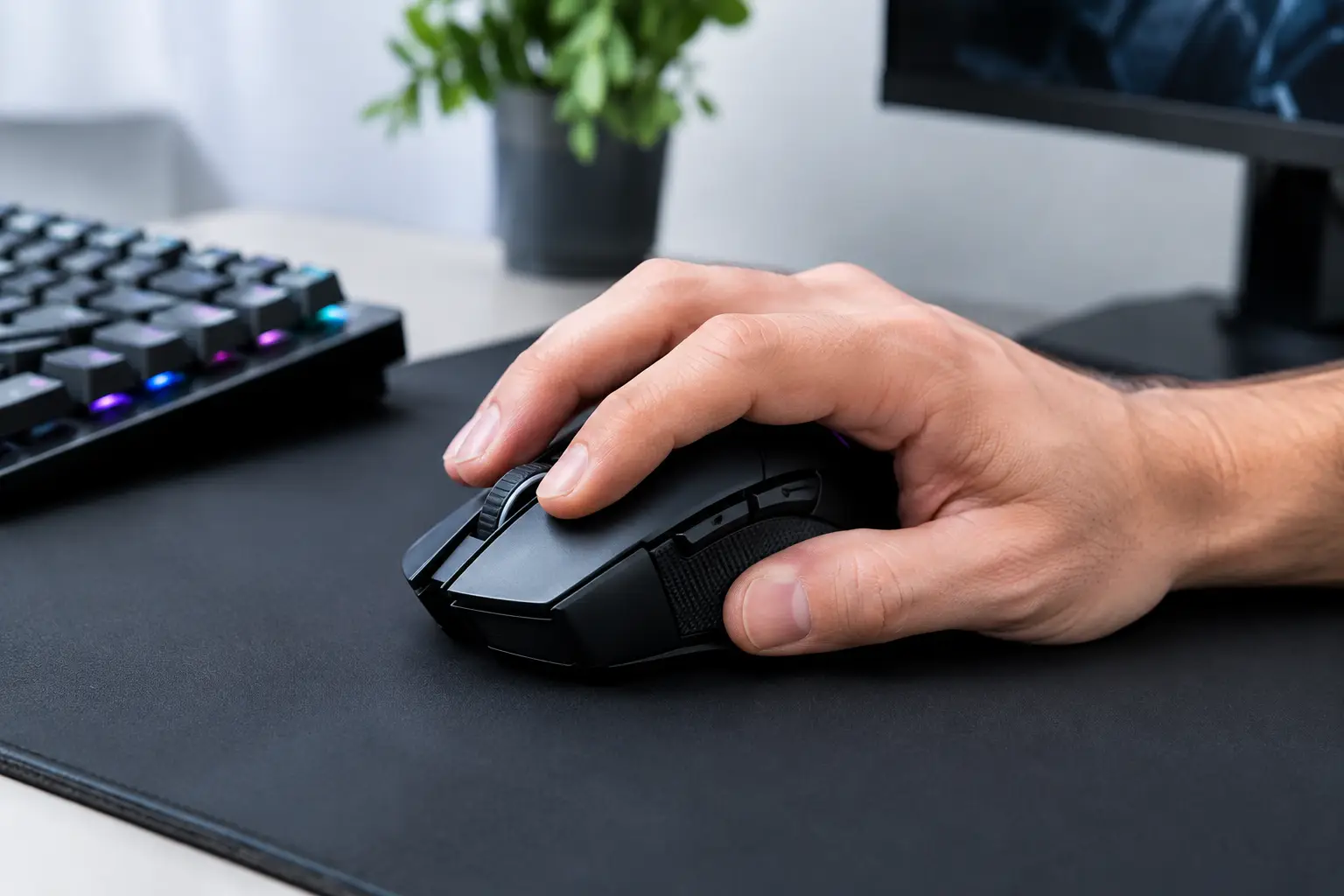
A mouse that is too small doesn’t just feel uncomfortable. It can make your hand tense up, force your fingers to search for a secure grip, and put your wrist at an unnatural angle. For gamers with large hands, choosing from the best gaming mice for large hands can directly affect accuracy, fatigue, and long-term performance—especially during competitive play or extended gaming sessions.
Not every mouse marketed for gaming is large enough. Impressive sensor specs, lighting, and extra buttons can’t make up for a body that’s too low, narrow, or short. Start by finding a shape that fits your hand, then consider the sensor, weight, connectivity, and price.
How Can You Tell If a Gaming Mouse Is Too Small?
A common sign is that your fingertips extend past the main buttons, or that the back of the mouse doesn’t support your palm. A tense grip, pain around the thumb, or having to move your whole hand to reach the side buttons can also indicate a poor fit.
There’s no single measurement that defines a large hand, but you can measure your hand from the tip of your middle finger to the base of your palm, then measure its width at the widest point, excluding the thumb. The longer or wider your hand is, the more important it is to check the mouse’s length, width, and hump height. For larger hands, a mouse around 125 mm long or more is often a good starting point, though the shape also makes a big difference.
Best Gaming Mice for Large Hands: Start with Your Grip Style
Your grip style determines whether a larger mouse will feel right. The three main grip styles are palm, claw, and fingertip. None is universally best—the right choice depends on your game, hand size, and personal preference.
Palm Grip
With a palm grip, most of your hand rests on the mouse. Size and height matter especially with this grip. Look for a relatively long body, a raised rear section that supports your palm, and enough width for your thumb and ring finger to rest without being pressed inward.
A low-profile, flat mouse may feel fast, but it can leave a larger hand unsupported and put strain on the wrist. If you spend hours playing strategy, role-playing, or slower-paced shooter games, a fuller, more ergonomic mouse will often feel more comfortable.
Claw Grip
With a claw grip, your palm touches the mouse only partially while your fingers arch over the buttons. You may be comfortable with a slightly shorter mouse, but you’ll still need enough width and a rear section that doesn’t disappear into your hand. A pronounced central or rear hump can provide support without restricting quick movements.
Pay attention to the position of the main buttons, too. If you have large hands, buttons that are too short may force your fingers into an uncomfortable bend. Ideally, your index and middle fingers should rest naturally near the center of the buttons, not at their front edges.
Fingertip Grip
Gamers with large hands may still prefer a light, nimble mouse with a fingertip grip. In this case, a very large body isn’t necessarily the best choice. Look for a lightweight mouse with sturdy sides and a length that gives you control without letting your fingers slide forward.
The trade-off is less palm support. If you also use your mouse for long workdays, photo editing, or studying, a taller model may be more comfortable throughout the day.
Ergonomic or Ambidextrous: Which Shape Works for Larger Hands?
An ergonomic mouse is usually designed for either the right or left hand, with one side shaped for the thumb and the other supporting the remaining fingers. For larger hands, this can often be the most comfortable option because the body fills the palm more fully and reduces the need to curl your fingers inward.
An ambidextrous mouse has a more balanced shape and may also suit left-handed users. It can work especially well for fast-paced shooters, where small corrections and sharp movements matter. However, not every ambidextrous mouse is wide enough for a large hand. Check the width of the sides and the space between the side buttons and the thumb-rest area.
If you’re left-handed, make sure the mouse is not just symmetrical in appearance but also has accessible buttons on the appropriate side. Even a comfortable right-handed ergonomic model won’t be a good fit for regular left-handed use.
Mouse Weight: Lighter Isn’t Always More Comfortable
Lightweight gaming mice make quick movements easier, especially in shooter games that involve wide, fast swipes. But larger hands generally offer more leverage and control, so an ultra-light mouse isn’t always necessary. Some players prefer a medium-weight mouse that feels stable on the surface and doesn’t move with every small touch.
A lightweight mouse can be an advantage in fast-paced competitive games. For a mix of work and gaming, strategy games, or use with high-resolution displays, a medium-weight model may feel more precise and comfortable. Rather than focusing only on the number, check the weight distribution: a well-balanced mouse will feel easier to control than one with most of its weight concentrated at the front or rear.
Sensor, Polling Rate, and Buttons
Once you’ve found the right size and shape, move on to the technical specifications. A quality optical sensor is a reliable choice for most gamers. There’s no need to chase extreme sensitivity values if you play at low or medium sensitivity, but the sensor should track consistently without skipping on a suitable surface.
A higher polling rate can make a mouse feel more responsive, particularly with high-refresh-rate displays and in competitive games. However, the practical difference also depends on your computer, display, and game settings. A comfortable mouse with a reliable sensor is a better choice than a more advanced model on paper that doesn’t fit your hand.
Buttons matter, too. For larger hands, look for relatively long main buttons with plenty of room to press. Side buttons should be easy to reach with your thumb without being easy to trigger accidentally. Extra buttons can be useful in role-playing, strategy, and other games with many actions. In competitive shooters, however, too many buttons can get in the way of a clean grip.
Wired or Wireless?
A wired mouse is simple, reliable, and usually more affordable. It’s a good choice if you don’t want to keep track of charging and would rather put more of your budget toward a quality sensor, switches, and build. Check that the cable is flexible enough not to resist broad movements.
A wireless mouse reduces cable clutter and allows freer movement. Modern models with dedicated wireless connections offer responsiveness suitable even for fast-paced gaming, but they may cost more and require charging. If you switch between a desktop, laptop, and workstation, an additional Bluetooth connection can be especially useful.
Before You Buy: Checks That Can Help You Avoid the Wrong Choice
Don’t rely on a product description that simply calls a mouse “large.” Check its actual length, width, and height, and compare them with the mouse you use now. If your current mouse feels too small, look for a model that is measurably longer or wider—not just one that looks large in a product photo.
It’s also worth considering the surface you play on. A larger, heavier mouse needs more room, especially if you use low sensitivity. The mouse feet on the underside, the quality of the side finish, and the texture of the scroll wheel all affect everyday comfort just as much as the headline specifications.
At TopMarket, you can compare brands, specifications, and price points, and consider how your mouse will fit into your complete gaming setup alongside a mouse pad, keyboard, monitor, and other accessories. The best-value choice isn’t necessarily the most expensive model—it’s the one that consistently fits your hand, gaming style, and budget.
A mouse that truly fits a large hand should feel natural from the first few minutes: your palm is supported, your thumb reaches the buttons without strain, and your movements remain precise even after a long gaming session. That simple test is more useful than any marketing claim—and it can help you make the right choice.

