
Setting Up a Gaming Station with a Reasonable Budge
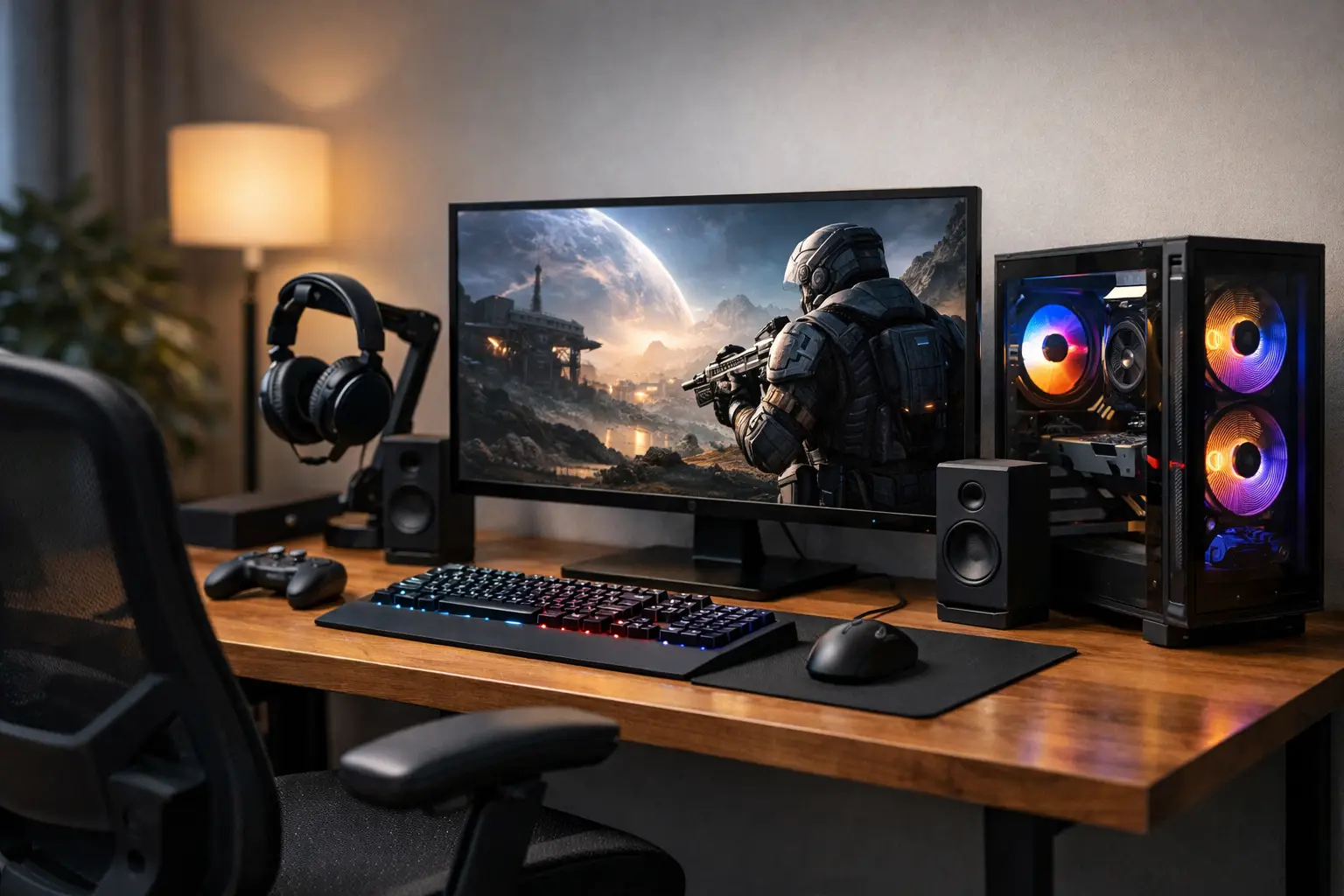
When setting up a mid-range gaming station, many people make the same mistake: they invest nearly all their budget in the computer itself, leaving them with a mediocre monitor, a basic keyboard, and a chair that won't last more than two hours. In reality, the gaming experience is determined by the entire setup - computer performance, display quality, seating comfort, network speed, and peripheral equipment. If one component falls short, the entire setup feels less impressive than what you paid for.
A mid-range budget isn’t a low budget, but it also isn’t a place to throw money around carelessly. The major advantage is that you can achieve a strong, balanced, and highly worthwhile setup as long as you choose your priorities wisely. The goal isn't to buy the most expensive model in every category, but rather to create a combination that works well together over time.
What Does a Mid-Range Gaming Budget Really Include
When discussing a mid-range budget, it's important to think in terms of value rather than luxury. In most cases, the budget should cover a gaming computer or a combination of components, an appropriate monitor, a keyboard, a mouse, basic headphones or speakers, and sometimes even a desk or chair if this is a completely new setup.
This brings us to the first important decision: are you building everything from scratch or upgrading an existing setup? If you already have a good monitor, a comfortable desk, or decent headphones, you can allocate more money towards the computer. If you have nothing, you need to create a balanced package and not get too caught up in just the specs of the case.
Setting Up a Mid-Range Gaming Station - Where to Invest Most of the Money
In most scenarios, the computer and monitor should receive the largest share of the budget. This duo has the greatest impact on clarity, refresh rate, frame stability, and overall feel of the game. After that comes the peripheral equipment and comfort.
If you mainly play competitive games like Valorant, Fortnite, or CS2, it’s wise to emphasize a fast monitor and a system capable of reliably maintaining high frame rates. If you lean more towards heavy single-player games, like Cyberpunk 2077 or open-world games, the graphics card becomes more critical than just an additional 40 or 50Hz on the monitor.
This is precisely where people confuse "strong" with "right." A powerful computer with a 60Hz monitor simply doesn't reach its potential in competitive games. On the other hand, a 240Hz monitor with hardware that can’t keep up is also a waste.
The CPU and Graphics Card
In a mid-range budget, there's no need to chase after the top-end market. It's better to select a modern CPU from a strong mid-range series and a graphics card that is clearly designed for gaming at high 1080p or basic 1440p resolution. In most cases, the graphics card will determine performance level in games more than the CPU, so it’s not wise to skimp too much on that.
However, there is also dependence on the types of games. Strategy games, simulation games, or games with a heavy CPU load may benefit from a strong CPU. Conversely, in graphically intensive AAA games, the burden largely falls on the graphics card. Therefore, the ideal specification is not "the most expensive possible" but a direct fit for the type of use.
Memory and Storage
In the last two years, 16GB of RAM has become a reasonable entry point, but for those building a new setup and wanting peace of mind for the coming years, 32GB is a more comfortable choice if the budget allows. This is especially true for those who often have a browser, Discord, recording, or streaming software running simultaneously.
For storage, it's better to start with a usable SSD NVMe and not buy too small a capacity just to check a box. Modern games take up a lot of space, and if you need to uninstall and reinstall every few weeks, it will hurt usability. Here as well, a good mid-range solution is preferable to extremes - you don’t need the largest capacity, but you also shouldn’t run out of space too quickly.
The Monitor is Not an Addition - It’s Part of the Performance
The monitor is one of the most impactful purchases in a setup, and yet it often receives less attention than it deserves. For a mid-range gaming station setup, a 24 or 27-inch monitor with a high refresh rate and quality panel is usually the right balance.
If the computer is primarily for 1080p gaming, a 24-inch monitor at 144Hz or higher offers excellent value. If you’re aiming for 1440p, a 27-inch monitor can be a significant upgrade, but you need to ensure that the hardware can genuinely support it. Otherwise, you’ll pay for clarity but sacrifice smoothness.
No less important is to check response times, image sync support, color quality, and available inputs. Anyone using the setup for studies, work, or viewing will quickly feel the difference between a well-chosen monitor and one purchased solely according to price.
Peripherals - Where Every Dollar Counts
A keyboard, mouse, and headphones don’t have to be premium products, but they should be suitable for long hours of use. Here, it's better to think less about RGB lighting and more about comfort, accuracy, and reliability.
A mouse should fit the hand size and grip style. The keyboard should feel precise and pleasant, especially if the setup is also used for studies or work. Gaming headphones need to provide clear microphone audio and stable comfort, not just strong bass. Sometimes a mid-range model from a reputable brand is a far better purchase than a cheap model with impressive marketing specs.
If you need to allocate the budget, it's best to balance: a really good mouse will have a more significant impact than another light bar on the keyboard, and a comfortable chair will matter more than both after a week of regular use.
Comfort, Seating, and Cable Management
A successful gaming station isn’t only measured in frames per second. If your back hurts, the desk is too small, or cables are scattered everywhere, the overall feeling suffers. In a mid-range budget, you might not always be able to buy all the furniture anew, but it’s wise to leave room for practical solutions.
A chair with good support, suitable height, and a sturdy build is a real upgrade. The desk should allow for comfortable viewing distance and space for the mouse without clutter. Even simple cable management solutions can significantly improve both aesthetics and daily comfort.
If you're unsure where to cut back, it's better to buy a simple desk and a good chair rather than the other way around. A desk can be swapped later, but poor seating is immediately felt.
Network, Connectivity, and Power
One area that often receives less attention is network infrastructure. In online games, a stable wired connection is almost always preferable to Wi-Fi, even if the speed on paper looks high. Stable ping is more important than a large number in your internet service provider's advertisement.
It’s also wise to check in advance how many connections you need - USB ports for peripherals, display outputs, additional storage, and accessible power outlets. A quality hub, a good Ethernet cable, and basic power organization can save you a lot of headaches. These aren’t the most exciting items to purchase, but they are part of a setup that works correctly.
Common Mistakes When Setting Up a Mid-Range Gaming Station
The first mistake is buying based on labels like "the strongest" or "on sale" without assessing actual compatibility. A strong spec on paper doesn't always provide the right package if the monitor is weak or if there isn’t a sufficiently large SSD.
The second mistake is ignoring future upgrades. Sometimes it’s wise to choose a power supply, motherboard, or case that allows for easy expansion later, even if you're not using everything currently. This doesn’t mean spending unnecessarily on superfluous features but rather avoiding choices that will quickly box you in.
The third mistake is an unbalanced budget allocation. If 85% of the money goes to the computer and 15% to everything else, in most cases the result won’t be as impressive as you expected. A good gaming station is a complete system.
How to Buy Smart Without Ending Up with an Unbalanced Setup
The right approach is to start with a clear framework for use: what games do you play, what resolution do you want to game at, how many hours a day will you spend on the setup, and is it designated solely for gaming or also for work and studies? After that, allocate the budget according to real importance, not trends.
It’s wise to compare across categories instead of just between individual models. Sometimes a deal on a monitor, a bundle of peripherals, or a pre-built computer can significantly change the budget allocation. In stores with a wide variety like TopMarket, you can check computers, monitors, chairs, and peripherals all in one place, greatly simplifying the construction of a coherent package instead of a random collection of purchases.
Another important point is warranty and reliability. In a mid-range budget, every purchase needs to last and feel justified. Therefore, it’s worth prioritizing reputable brands, clear specs, and products that have good transparency regarding data and support.
A good gaming station doesn’t have to be hugely expensive to feel high quality. If it’s built according to actual use, with the right priorities and without falling into unnecessary hype, you can achieve a strong, comfortable, and worthwhile result right from the first purchase.
- 5 Akhad Ha'am St., Netanya, Israel

- Phone: +97298821001
- Sunday - Thursday: 11:00 - 24:00
Friday: 11:00 - 16:00
Saturday and holiday: 20:00 - 24:00 - Contact us form

© 2002 - 2026 TopMarket.co.il - Powered by AnyWeb.co.il
