
The Best Monitors for Video Editing - What Really Matters
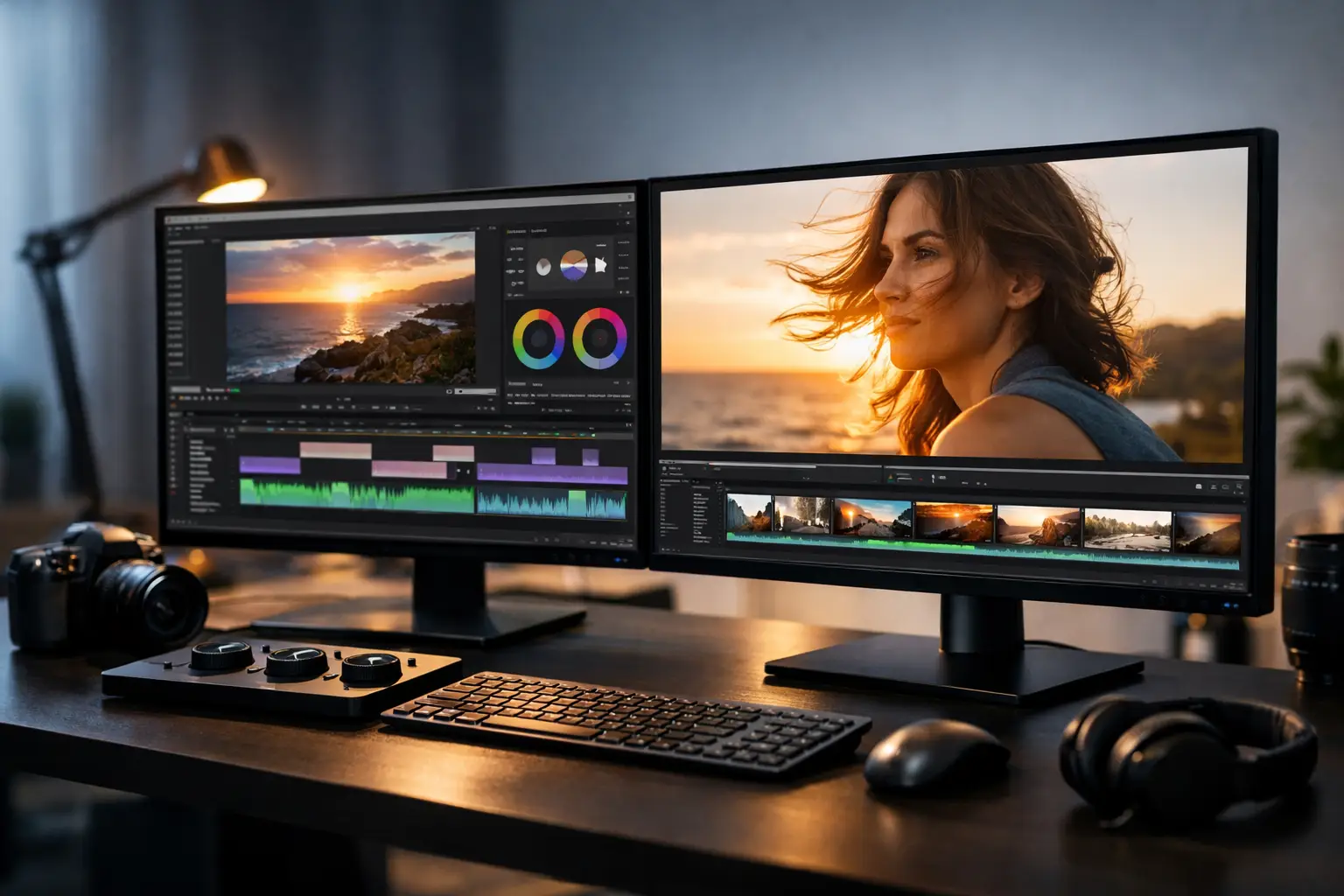
When editing videos for hours on end, your screen is more than just a peripheral device; it's the tool that dictates how you perceive colors, sharpness, contrast, and details in shadows and highlights. Therefore, those seeking the best screens for video editing shouldn't start with the brand or the latest deals but rather with a simple question: What type of work are you really doing? Is it YouTube and Reels, promotional videos, commercial projects, or precise grading for demanding clients?
The Best Screens for Video Editing Start with Color Accuracy
When looking at screen specifications, it's easy to get caught up in size, refresh rate, or design. In video editing, however, the most critical element is color accuracy. If your screen displays colors inaccurately, every grading decision you make could look different on a phone, television, or client’s screen.
Look for a display with a wide color gamut, especially metrics related to sRGB, DCI-P3, and sometimes even Adobe RGB. For most video editors, good coverage of sRGB and DCI-P3 will be more relevant than a blind chase after every possible standard. If your work primarily involves digital content, social media, and YouTube, having an accurate sRGB is an excellent foundation. For productions with a more cinematic focus or outputs for advanced devices, broad DCI-P3 coverage provides a real advantage.
However, color coverage alone is not enough. It's also essential to check for factory calibration, uniformity, and a high-quality panel. A monitor that claims to cover 95% or 99% of DCI-P3 but suffers from poor corner uniformity might look impressive on paper but will perform poorly in daily work.
Which Panel is Best for Editing?
In most instances, an IPS panel is the safe choice. It offers good viewing angles and consistent color accuracy compared to cheaper alternatives. This is especially crucial when working on videos that require a lot of color correction or when sitting in front of a large screen and wanting the image to remain uniform even at the edges.
VA panels can offer higher contrast, which can be particularly appealing in dark scenes. However, they can sometimes be less consistent in color and viewing angles. This might suffice for gaming, but for a video editor seeking predictable results, IPS is generally the better choice.
OLED is a different story altogether. The image quality is incredibly impressive—deep blacks, high contrast, and rapid response times. Those who do both viewing and editing may justifiably be excited. Still, there are caveats: the price is higher, and there are burn-in considerations with long-term use of static interfaces like timelines, menus, and toolbars. Thus, while OLED might suit some users, it's not the default choice for every editor.
Resolution and Size - More Than Just Convenience
For video editing, a 27-inch screen with QHD resolution is a very balanced starting point. It provides enough workspace for timelines, previews, and software panels without straining your budget or requiring an exceptionally powerful computer.
If you often work with 4K materials, a 27 or 32-inch 4K screen can significantly enhance your work experience. You'll benefit from finer detail, more space for interfaces, and the ability to see more details without constantly zooming. On a 32-inch 4K screen, the resolution feels very natural for video editing, especially when sitting at a standard working distance on a desk.
On the other hand, not everyone needs 4K. Those editing primarily short clips, social media content, or 1080p projects may derive better value from a high-quality QHD monitor with good color accuracy rather than settling for a mediocre 4K display. This is one of the most common purchasing mistakes—paying for high resolution while compromising on the panel, accuracy, or uniformity.
HDR - When Is It Truly Relevant?
HDR is one of the most confusing terms in the screen category. Many models include some basic level of support, but that doesn’t necessarily mean they are suitable for serious HDR work. To enjoy a more reliable visual editing experience, you need not only compatibility but also high brightness, appropriate color depth, effective local dimming, and contrast performance that justifies the HDR label.
If you don't regularly work on HDR-oriented projects, there's no reason to make this a central criterion. It's better to choose an excellent SDR monitor with accurate color than a marketing-driven "HDR" screen that fails to deliver a consistent outcome. Conversely, if you work with premium clients on advertising or advanced content for new platforms, you should definitely look deeper into this aspect.
Connections, Ergonomics, and Ease of Use
A video editing screen should also fit your working environment, not just the visuals. USB-C with charging can be a huge advantage for those working with laptops who want a single clean connection for image, data, and power. DisplayPort and HDMI are essential, and in some cases, additional USB ports on the monitor can reduce load on the docking station.
The stand also matters. Height adjustment, tilt, and rotation might not sound like professional considerations, but after a long day of work, they become very practical. A monitor that doesn’t adjust well can hinder proper seating posture and strain your neck and shoulders. Those who work long hours will feel the difference quickly.
If you use dual screens, check for thin bezels and a good match between the panels. A dual setup is especially suitable for those wanting their timeline and tools on one screen and full display on the other. It’s not a requirement, but for many editors, it instantly improves efficiency.
The Best Monitors for Video Editing by Budget
At an entry-level budget, focus on 24 to 27 inch IPS screens with Full HD or QHD resolution and reliable sRGB color coverage. This is perfectly sufficient for editing ongoing content, YouTube, digital courses, marketing, and business content. At this stage, avoid overly cheap monitors with partially impressive specifications but weak quality control.
In the mid-range budget, you can aim for 27-inch QHD or 4K monitors with better calibration, broad DCI-P3 coverage, convenient connections, and improved ergonomics. For most users, this category offers the best cost-effectiveness. It's suitable for serious content creators, freelancers, and those working from small offices or home studios.
In the high-end budget, you enter the realm of 32-inch 4K displays, advanced color accuracy, better HDR solutions, and sometimes features designed for meticulous professional work. This makes sense for those delivering high-quality commercial products, working with advanced cameras, or needing an editing environment that justifies a long-term investment.
Common Mistakes in Choosing a Monitor for Video Editing
The first mistake is buying a gaming monitor simply because it has flashy performance specs. A refresh rate of 144Hz or 240Hz doesn't hinder editing, but it usually doesn't contribute to it like color accuracy, uniformity, and proper brightness do. If the budget is limited, it's better to allocate the money towards image quality rather than less relevant specs.
The second mistake is focusing solely on the manufacturer's specifications without checking their real compatibility with your working style. An editor working with a MacBook, for example, should pay special attention to text sharpness, USB-C connectivity, and ease of scaling. Someone connecting a powerful desktop might be more flexible with connections but still needs to ensure the graphics card can comfortably handle 4K.
The third mistake is neglecting calibration. Even a very good monitor can display inaccurate visuals if not set up correctly. Not every user needs to invest immediately in professional calibration equipment, but it's at least wise to choose an appropriate color profile, minimize aggressive factory display modes, and ensure the room lighting isn't misleading to the eyes.
How to Choose Wisely from a Large Selection
The smart way to choose is to filter based on actual usage. First, set a budget, then screen size and resolution, and finally move on to parameters that determine work quality—IPS, color coverage, calibration level, connections, and ergonomics. Only after this does it make sense to compare between series, brands, and models.
Buying a monitor for video editing doesn't necessarily mean you need the most expensive model in the category. You need a model that precisely meets your needs without paying for add-ons that won't be utilized. This is especially true in a store with a wide selection like TopMarket, where the real advantage lies in the ability to compare price levels, specs, and different working solutions all in one place.
If you're considering an upgrade, think of the monitor as part of the entire editing system. A precise and comfortable screen will impact every project you undertake, how quickly you make decisions, and your level of confidence before exporting and sending to clients. When you choose wisely, not only do you see better—you work better.
- 5 Akhad Ha'am St., Netanya, Israel

- Phone: +97298821001
- Sunday - Thursday: 11:00 - 24:00
Friday: 11:00 - 16:00
Saturday and holiday: 20:00 - 24:00 - Contact us form

© 2002 - 2026 TopMarket.co.il - Powered by AnyWeb.co.il
