
What is the Difference Between OLED and QLED, and Which TV is Right for You?
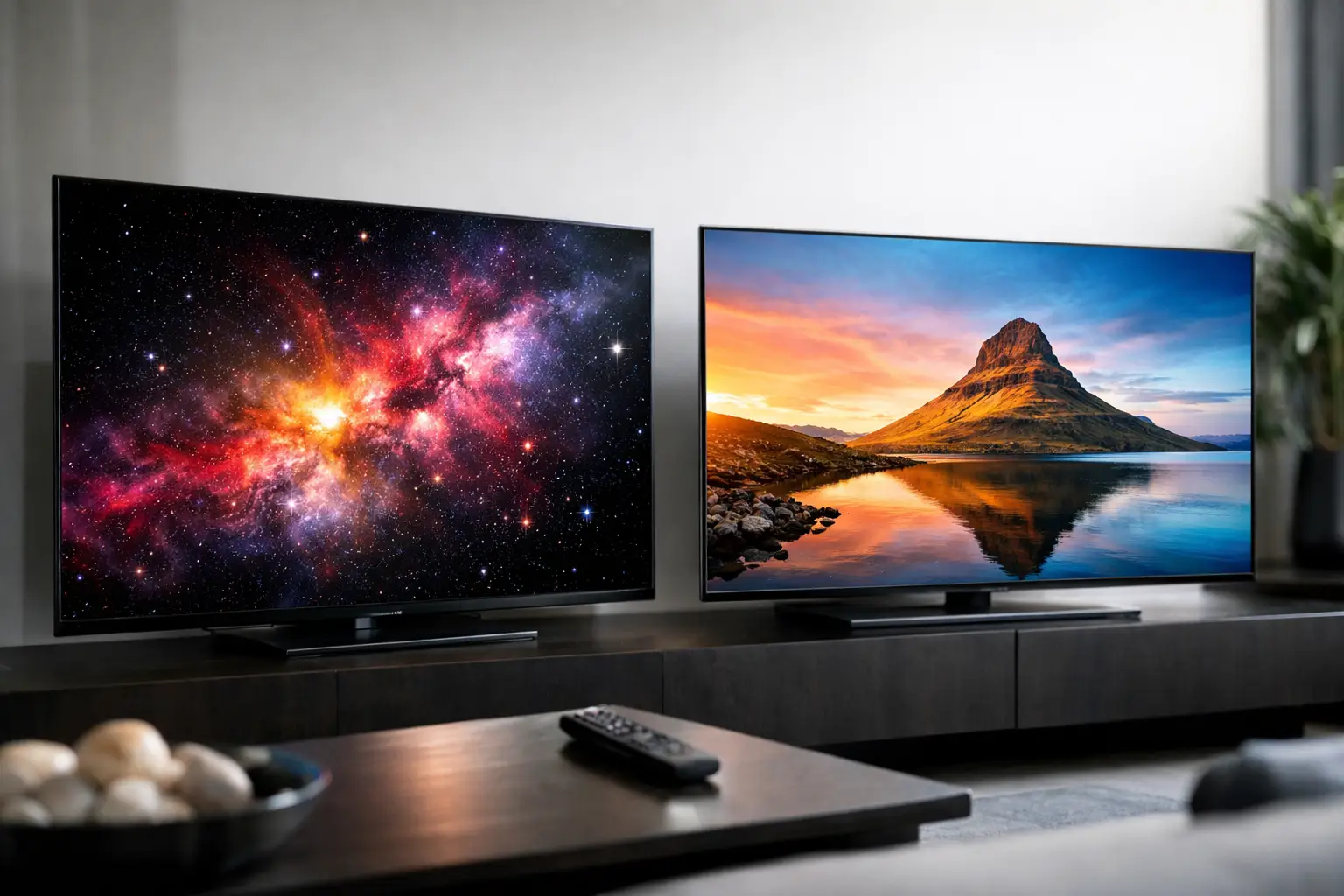
In a TV store, you might see two screens of the same size, both with a 4K specification and HDR support, but with very different prices. The reason is usually the panel technology. What is the difference between OLED and QLED? OLED displays each pixel as its own independent light source, whereas QLED is based on an LCD screen with LED backlighting and a layer of Quantum Dots to enhance color and brightness. This difference affects black levels, contrast, gaming performance, suitability for bright rooms, and of course, the price.
The choice isn't just about which technology is better on paper. An OLED TV can be particularly suited for cinematic viewing in the evening and fast gaming, while QLED excels in brightly lit spaces, in larger sizes, and when seeking better value for every dollar spent. To make an informed purchase, you need to understand what you’re actually seeing and not just rely on the technology's name.
What is the difference between OLED and QLED in display technology?
In an OLED screen, each pixel emits its own light. When the image requires a black area, the pixels in that area are completely turned off. The result is true black, without a gray halo around bright objects and with extremely high contrast. There is no need for backlighting, allowing for the production of ultra-thin screens.
QLED is essentially an advanced LCD TV. Behind the liquid crystal layer is an LED backlight, and in front of it is a layer of Quantum Dots that enhances color purity and brightness intensity. In more advanced models, the backlight is divided into many separate zones that can be turned on and off independently, a technology known as Local Dimming. Mini LED models incorporate a larger number of tiny bulbs, thus allowing for better control over bright and dark areas.
The distinction is important: QLED is not a technology where every pixel lights up independently. Therefore, even high-quality QLEDs may exhibit some blooming - a bright halo around white subtitles or bright objects on a dark background. The greater the number of dimming zones, the less noticeable this effect will be.
Black Levels, Contrast, and Movie Watching
If the primary use is for movies, series, and content with dark scenes, OLED provides a clear advantage. Night skies, spaceships in space, tense scenes, and subtitles achieve impressive depth because the black is not merely dark but completely off. Even in shadow details, a quality OLED screen can display an accurate transition between very dark areas.
In QLED, the quality of black largely depends on the type of panel and the backlighting mechanism. A basic model with uniform lighting will be less accurate in the dark. An advanced QLED or Mini LED model, with effective local dimming, can present excellent contrast and provide a very impressive viewing experience. It still doesn’t completely eliminate the limitations of backlighting, but for many viewers, the difference is smaller than it may seem in the store.
There’s also the aspect of the viewing environment. In a very bright living room, the black advantage of OLED is less pronounced than in a dark room. Conversely, in a room where the lights are turned off in the evening, the difference may be immediate.
Brightness and Handling Daylight
Here, QLED, and especially Mini LED, tends to lead. Many QLED TVs reach high peak brightness, which helps combat reflections from windows and light fixtures. Brightness also enhances HDR content: flashes of light, sunlight, metal, and lightning can appear stronger and more precise.
Modern OLEDs are much brighter than older models, and not every living room requires QLED. However, if the TV is installed facing a large window, in an open space, or in a room where viewers primarily watch during the day, a bright QLED is a more practical and safer choice. It’s also worth checking the type of anti-reflective coating, as brightness ratings alone don’t tell the whole story.
When testing in-store, it’s advisable not to rely solely on a colorful demonstration video. Try to view menus, white subtitles on dark backgrounds, and bright content with reflections. These scenarios are closer to normal home usage.
Color, Viewing Angles, and Picture Accuracy
Both technologies can display rich colors and support common HDR standards. The Quantum Dot layer gives QLED a possible advantage in color volume, especially at high brightness levels. Thus, it can maintain strong colors even in very bright scenes.
OLED is known for its natural colors, smooth transitions, and good picture uniformity. Another benefit is its wide viewing angles: someone sitting at the side of the sofa will still receive colors and contrast very close to what is seen directly in front of the screen. This is useful in spacious living rooms, with large families, or during shared sports viewing.
In QLEDs, viewing angles can vary from model to model. Some panels are excellent for direct viewing but lose some contrast or color from the side. Advanced models may have layers that expand viewing angles, but you should check the specific model and not assume that all QLEDs behave the same.
OLED or QLED for Gaming?
For gamers, response time and refresh rate are just as important as color quality. OLED pixels have a very fast response time, so fast motion can appear sharper and cleaner without blurring. Many OLED TVs also offer 120Hz or 144Hz, VRR support, ALLM mode, and HDMI 2.1 ports - specifications suitable for new consoles and gaming PCs.
Advanced QLEDs can also offer 120Hz or 144Hz, VRR, and HDMI 2.1, so there’s no reason to dismiss them for gaming. Their advantage is particularly noticeable if gaming in a brightly lit room, or if the screen is on for long periods with constant interfaces. Before purchasing, ensure how many HDMI 2.1 ports are actually available, whether they support the required bandwidth, and what the input lag is in gaming mode.
For players who spend a lot of time on the same game with a static HUD, map, health bar, or logo, it’s essential to be aware of image burn-in issues. OLED screens have protection mechanisms like pixel shifting, logo dimming, and panel refresh, but they shouldn't be viewed as absolute guarantees. A varied usage and proper settings can reduce the risk. For screens displaying a lot of static content for many hours, QLED is often the quieter option.
Price, Size, and Long-term Cost
In the same size and brand level, OLED is usually more expensive than a basic QLED. The price gap narrows with premium models, especially compared to a large QLED Mini LED with an advanced lighting array. Thus, it doesn't make sense to compare only the technology name: you should compare size, refresh rate, type of backlighting, number of ports, operating system, sound quality, and warranty terms.
QLED sometimes provides a significant advantage within a given budget. Instead of a smaller OLED, you can choose a larger QLED or Mini LED with high brightness and a full gaming specification. On the other hand, those who prefer picture quality in dark scenes, true black depth, and a slim design may prefer OLED even if they opt for a slightly smaller size.
Power consumption also varies based on content and brightness, and it’s incorrect to judge solely by the type of panel. An OLED screen can be efficient in dark scenes because black pixels are turned off. A QLED screen uses backlighting, but new models include power-saving modes and brightness management. Check the energy label of the specific model and the display settings you will use at home.
How to Choose the Right TV?
Choose OLED if viewing primarily occurs in the evening or in a room that can be darkened, if black quality and viewing angles are high priorities, and if fast gaming or movies are the primary use. It’s a strong choice for those who value cinematic image quality and are willing to invest accordingly.
Choose QLED, especially Mini LED, if the living room is bright, if high brightness is required, if the TV will run for long hours with news channels, gaming interfaces, or static content, or if you want to maximize size and specifications within a defined budget. For many families, this is the most cost-effective choice.
Before ordering, measure the viewing distance, check the location of windows, and decide what sources will be connected to the screen - converter, console, computer, streamer, or home theater system. Then compare the specifications of the actual model and not just the label OLED or QLED. The best TV is the one that fits the room, viewing habits, and your budget, not necessarily the one with the highest specifications.
- What is the Difference Between OLED and QLED, and Which TV is Right for You?
- Setting Up a Dual Workstation for Efficient and Comfortable Work
- How to Choose a Mechanical Keyboard for Work, Gaming, and Typing
- What Charger is Right for Your Phone? Here's How to Choose Wisely
- Guide to Buying a Security Camera for Home, Business, and Outdoor Use
- 5 Akhad Ha'am St., Netanya, Israel

- Phone: +97298821001
- Sunday - Thursday: 11:00 - 24:00
Friday: 11:00 - 16:00
Saturday and holiday: 20:00 - 24:00 - Contact us form

© 2002 - 2026 TopMarket.co.il - Powered by AnyWeb.co.il
