
Xbox vs. PlayStation - Which Console is Right for You?
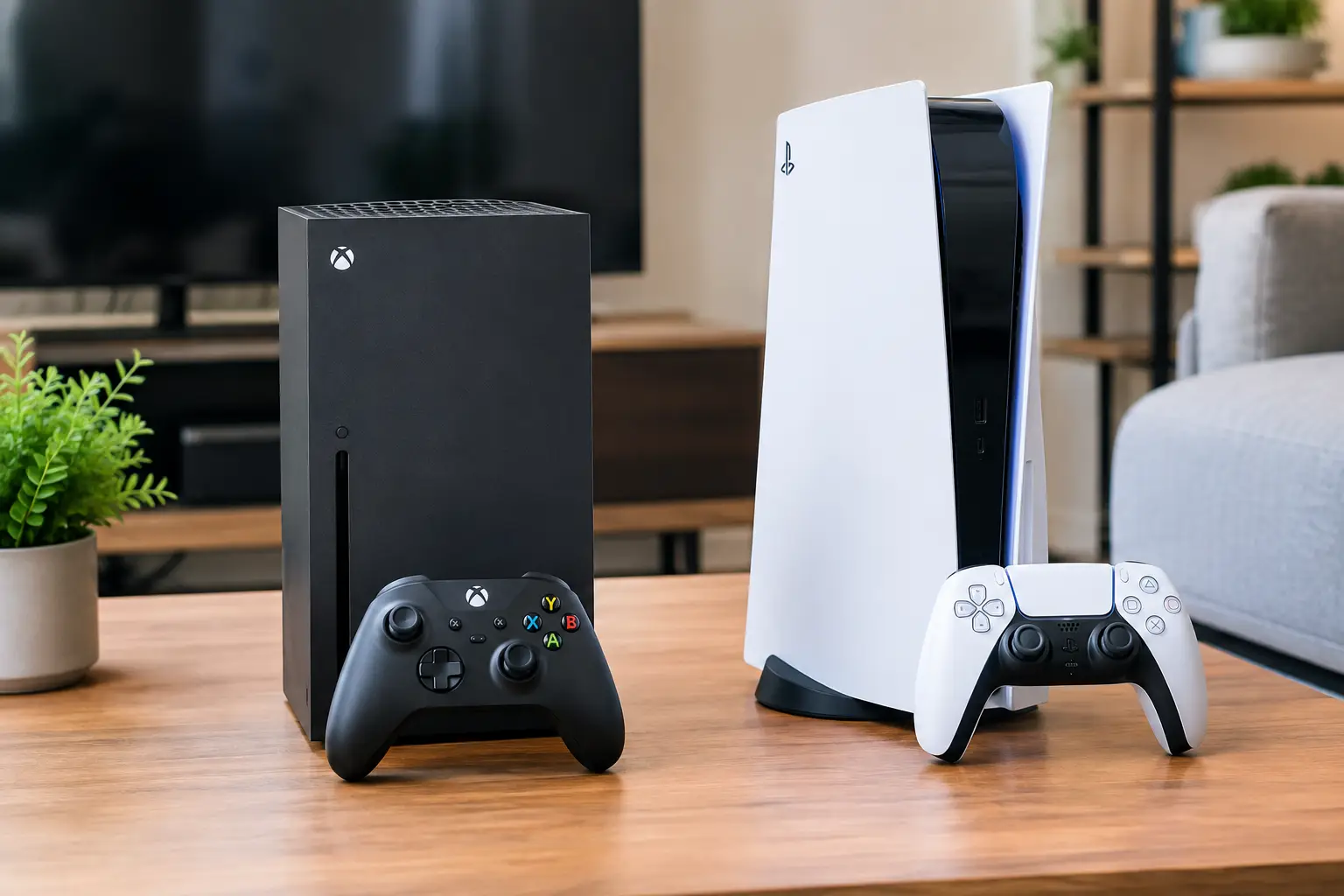
The choice between Xbox and PlayStation isn’t just a question of which console is more powerful on paper. Both platforms offer current-generation games, fast loading times, online gaming, digital stores, and a variety of accessories, but the user experience and long-term costs can vary significantly. Making the right decision starts with the games you want to play, the screen you already have at home, the number of users, and the overall budget—not just the price of the console at the time of purchase.
Xbox vs. PlayStation: Starting with the Games
For most gamers, the library is the most important consideration. Before you check the technical specs, it’s a good idea to prepare a short list of games you or your household want to play this year. Many titles are available for both consoles, especially sports games, racing, shooters, action games, and major online games. In such cases, the choice may come down to price, subscriptions, controllers, or friends who already play on a specific platform.
The significant differences begin with exclusive games and first-party titles from each manufacturer. PlayStation is well-known for its storytelling, adventure, and cinematic action series. Xbox is recognized for its extensive gaming service, racing franchises, shooters, and a wide range of games available through subscription. The game offerings change throughout the year, so there’s no definitive answer to the question of which is "better"—the answer depends on your personal preferences.
Another important point is where your friends are gaming. If most of your group is already on PlayStation or Xbox, that could be a practical reason to choose the same system. While more games support cross-platform play today, not all do, and sometimes chat, friend lists, or previous purchases are more convenient within the same environment.
Console Models and What You Get Within Your Budget
On PlayStation, a model with a disc drive is suitable for those who want to buy physical copies of games, borrow from friends, sell finished games, or watch supported media on disc. A digital model may cost less initially but requires purchases and downloads through the digital store. It is particularly suited for those who prefer a complete digital library and don't plan on dealing with discs.
In the Xbox family, a more advanced model typically targets high-resolution gaming, improved refresh rates, and larger storage capacity. A compact and more accessible model can be an excellent choice for children's rooms, casual gamers, or those primarily playing digital titles and not needing a disc drive. It’s essential to look at the specific model and not assume that every Xbox console offers the same specifications.
Processing power is an advantage, but not the only factor. In practice, image quality also depends on game optimization, TV resolution, HDR support, and the screen’s refresh rate. Those playing on a modern 4K TV with 120Hz may feel more of the benefits from an advanced model. On a more basic screen, the difference between models can be much less pronounced.
Compatibility with Your TV and Existing Setup
Before making a purchase, it's wise to check what inputs your TV has and what refresh rate it supports. A proper HDMI connection is required for every console, but a screen that supports 4K, HDR, and 120Hz can expand display options in compatible games. You don’t need to replace your TV just because of the console, but if you plan to upgrade your screen soon, it’s a good idea to choose equipment that matches one another.
Also, consider the placement of the console. Larger models require ventilation space around them, especially within a closed cabinet. It’s advisable to measure the space in advance and ensure easy access to power, network, and screen cables. Simple decisions like these can save unnecessary hassle on the installation day.
Subscriptions: Costs Not Always Reflected in the Console Price
A subscription service can significantly alter the cost of gaming. On Xbox, the Game Pass service offers a rotating catalog of games available for download or cloud gaming under certain plans, with terms and availability varying by plan and region. This is an efficient solution for families or gamers who enjoy trying many games and don't necessarily want to purchase every title individually.
On PlayStation, PlayStation Plus includes various plans with options for online gaming, monthly games, catalog bundles, and additional perks. For those buying few games a year and focusing on individual titles, an extensive subscription isn’t necessarily essential. Conversely, in a household with several gamers, the catalog can provide high value and reduce spontaneous full-price purchases.
Include the subscription in your annual budget calculation. In addition, online gaming for many paid titles may require an appropriate subscription, whereas certain free games operate under different conditions. Before payment, it’s important to check what the plan includes, how many users in the household can use it, and which games are genuinely relevant to you.
Storage, Discs, and Digital Purchases
Modern games take up considerable space, and sometimes just a few titles can fill a significant portion of the internal storage. Therefore, the size of the drive is particularly relevant if you tend to keep many games installed. Even with a physical disc, installation onto the console’s storage is usually still required.
On PlayStation, storage can typically be expanded with a compatible drive according to system requirements. On Xbox, there are dedicated expansion options alongside the use of external drives for specific tasks. Compatibility is essential: not every external drive allows playing current-generation games directly, so it’s important to read the product specs and not choose based solely on capacity.
Discs have an advantage in the second-hand market and offer flexibility in exchanging titles. Digital, on the other hand, is more convenient for immediate use without the hassle of swapping media or needing to store boxes at home. Those who usually buy during digital sales might prefer a console without a drive, whereas those who like comparing game prices, selling titles, or purchasing physical copies will benefit from having a disc drive.
Controllers and Accessories That Impact Daily Use
The controller is the accessory used in every game, so it should actually be weighted in your decision. The PlayStation controller offers advanced features in some games, such as haptic feedback and adaptive triggers. These can enhance the sense of precision, although not every game utilizes them to the same extent, and some players prefer to disable certain effects based on personal taste.
The Xbox controller maintains a familiar and comfortable layout for many gamers, with an emphasis on ease of use and wide compatibility with accessories. Some models allow for batteries or a rechargeable battery pack, while others include built-in charging. There’s no clear winner here—if possible, it’s advisable to hold each controller in your hand before making a choice, especially for longer play sessions.
It’s also wise to plan ahead for an additional controller for multiplayer gaming, headphones with a microphone for online play, a charging station, a quality network cable, and additional storage if necessary. While these are relatively small items, they can add up to a significant amount if purchased separately. A package that includes a console, a game, or an extra controller can be cost-effective as long as each component is genuinely needed.
How to Choose Between Xbox and PlayStation
If you’re looking for specific story-driven games and prefer the PlayStation library, that’s a good reason to choose it even if an alternative seems slightly cheaper. If you want broad access to a game catalog through a subscription and games across various genres, Xbox could be a better fit. For children or casual gaming, an accessible model with sufficient storage and an extra controller might be a wiser decision than a premium model that won’t be fully utilized.
The practical way to compare is to calculate a complete bundle: console, game or subscription, additional controller, headphones as needed, possible storage expansion, and shipping. After that, check warranty, stock availability, and delivery time. At TopMarket, you can gather your console, gaming accessories, and complementary equipment in one place and evaluate specifications and prices before making your decision.
Before ordering, choose the three games you genuinely want to play in the coming months, count how many players are in your household, and check your TV capabilities. These three checks will generally lead to a more precise choice than any general specification comparison.
- 5 Akhad Ha'am St., Netanya, Israel

- Phone: +97298821001
- Sunday - Thursday: 11:00 - 24:00
Friday: 11:00 - 16:00
Saturday and holiday: 20:00 - 24:00 - Contact us form

© 2002 - 2026 TopMarket.co.il - Powered by AnyWeb.co.il
