

 Install the app
How to Choose the Right Motherboard for Your Compute
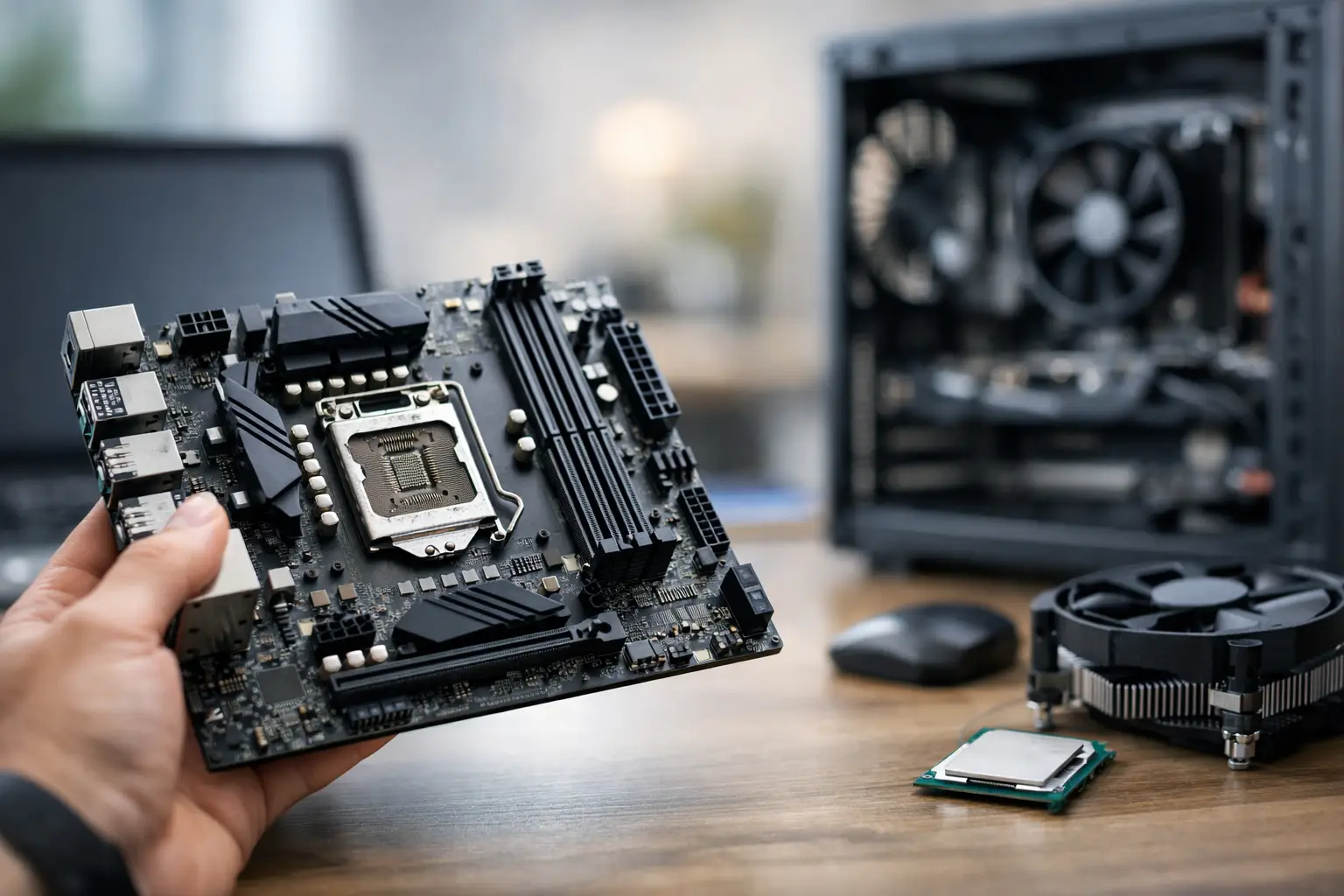
The most costly mistake when building a new computer is not necessarily the choice of processor or graphics card. Often, those who buy too quickly discover at the end that the motherboard doesn't support the desired processor, there's insufficient storage connections, or that the case isn't suitable at all. When you're checking how to choose the right motherboard, you should think less about "what's the strongest" and more about complete compatibility with the system you're actually building.
The motherboard is the foundation of the entire computer. It determines which processors you can install, how much memory will be available, which drives can be connected, how many expansion cards can be added, and what connections you will have at the back and front. Therefore, the right choice doesn’t start with the brand but with the intended use, budget, and overall specifications.
How to Choose a Suitable Motherboard Based on Use
Someone building a gaming computer doesn't necessarily need the same motherboard as one for a work station, and those running editing software, CAD, or virtual machines will typically require more connections, more memory, and greater stability over time.
For a standard office or home computer, a mid-range motherboard will generally suffice. There's no need to pay for aggressive cooling setups or overclocking features if you don't plan on using them. On the other hand, for a gaming computer, it's important to ensure full support for modern graphics cards, appropriate memory speeds, and enough storage connections for future upgrades.
For workstations, the picture changes. Here, it’s worth checking ahead for the number of RAM slots, maximum memory capacity, number of M.2 connections, the quality of the power supply for the processor, and fast USB connections for peripherals. If you're buying for an office or business, reliability and compatibility are more important than RGB lighting.
Start by Checking CPU Compatibility
The first step in choosing a motherboard is the socket. This is the CPU connection on the board, and it must fit exactly with the model of CPU you’ve chosen. There’s no room for approximation. If the CPU is not compatible with the socket, assembly won't work.
Beyond the socket, you should also check the chipset. This is where the feature level of the board comes into play. Two motherboards can support the same CPU but offer completely different capabilities—more or fewer USB connections, varying PCIe support, memory options, overclocking support, and the overall quality of the platform.
This is a point where many buyers end up overpaying. If you’re not overclocking, don’t need a large storage array, and aren’t adding many expansion cards, there’s no automatic reason to switch to a pricier chipset. On the other hand, extreme cost-cutting on a motherboard could limit you in your next upgrade.
The Size of the Board Must Fit the Case
After CPU compatibility, physical format comes next. Motherboards typically come in sizes like ATX, Micro-ATX, and Mini-ITX. The difference is not just size but also the number of connections and options available.
An ATX board is suitable for those who want more expansion slots, more room for storage connections, and sometimes better cooling and power supply setups. Micro-ATX is a very cost-effective solution for most users—more compact, usually cheaper, yet still sufficient for most gaming and office systems. Mini-ITX is meant for very small builds, but it usually limits the number of RAM slots, expansion slots, and upgrading options.
Before purchasing, it's crucial to ensure complete compatibility with the case. Not every case will support every size of the board, and not every board will give you easy access to all connections within a small case.
RAM - Not Just How Much, but Also How
One of the central questions about how to choose a suitable motherboard is how much memory you want now and how much you might need in the future. A motherboard with two RAM slots can be enough for a basic computer or decent-level gaming, but those considering upgrades will typically prefer four slots.
It’s wise to check three things: the supported memory type, the supported speed, and the maximum capacity. If you’re working with heavy software, editing videos, opening dozens of tabs, or running professional programs, a low memory limit could become a bottleneck.
Again, you don’t always need the maximum. For a regular user, there’s no real value in a motherboard designed for an enormous amount of RAM if you won’t exceed the standard level of daily use or gaming.
Storage and PCIe Connections - Where Future Bottlenecks May Occur
Many new systems are built with one NVMe drive, but after a year or two, expansions come knocking. Suddenly, you may want another SSD, perhaps an additional hard drive, or some kind of expansion card. This is where the motherboard directly affects your flexibility.
Check how many M.2 slots are on the board, how many SATA connections are available, and how things behave when using multiple connections simultaneously. On some boards, using a specific slot disables another connection or reduces lanes from a PCIe slot. This isn’t a fault—it's a design limitation you need to be aware of in advance.
PCIe slots are also very important. If you’re building a standard gaming computer with one graphics card, the requirement is relatively simple. If you plan to add a video capture card, advanced network card, storage controller, or other professional equipment, make sure there’s ample space and appropriate lanes available.
Connections, Communication, and Features You Actually Use
Many choose a motherboard based on its appearance or series name, but realistically, it’s essential to look at the back panel and internal connections. How many USB connections will you have? Is there USB-C? Are there display outputs if you're using integrated graphics? Is there high-speed network connectivity? Is Wi-Fi and Bluetooth built-in?
If the computer is meant for a workstation, classroom, office, or a desk crowded with peripherals, the number of connections is just as important as performance. If you want a clean system without adapters and additional cards, sometimes it's worth paying a little more for a motherboard with full built-in communication.
On the flip side, if the computer will always be hardwired and you don’t utilize Wi-Fi, there’s no need to pay for a feature that won't be used. This is a place where a smart purchase is preferable to going for the "maxed-out" option.
Build Quality and Cooling - More Important for Powerful CPUs
Not all motherboards are built the same. In basic systems, the differences are less critical. In more powerful CPUs, especially under sustained loads, the quality of the power delivery and cooling on the board can directly impact stability, heat, and noise.
If you're building a heavy gaming computer, for editing, or professional work, it’s worth checking whether the board has a sufficient VRM cooling solution, whether reviews indicate stability under load, and whether it’s suitable for your planned processor. A motherboard that’s too cheap with a powerful processor may work but not always in an ideal way over time.
This is also one of those areas where it pays to buy organized, with a clear specification, warranty, and complete technical description. On a site like TopMarket, it’s easier to compare between models, connections, format, memory support, and prices without guessing what you’re actually getting.
How to Allocate Your Budget Correctly
A good motherboard should fit the system, not dominate it. In a gaming computer, for example, it’s usually better to invest more in the graphics card and CPU, rather than draining too much budget on a fancy motherboard that you won’t fully utilize. In a work computer, on the other hand, a motherboard with more connections, better stability, and wider upgrade options may be a smarter decision.
The simple rule is: don't buy the cheapest model just to check a box, but also don’t pay for features that have no real connection to your use. If you know you’ll upgrade later, buy a motherboard that allows for growth. If you’re building a closed system for regular use, there’s no need to load it with unnecessary features.
Common Mistakes Before Purchase
The first mistake is checking only CPU compatibility and forgetting the rest of the system. The second mistake is ignoring the number of storage and USB connections. The third mistake is choosing a motherboard based on appearance, lighting, or series name instead of specifications.
Some also buy a very advanced board for a mid-range CPU, or vice versa—trying to save too much with a powerful CPU. Both approaches result in imbalance. The goal is a system where each component works correctly with the others, without bottlenecks and without unnecessary expenditures.
If you're still undecided, start with four questions: what CPU to buy, what case you have, how much memory you’ll want in two years, and how many drives or expansion cards you'll add later. Once you have answers, the choice becomes much simpler.
A good motherboard shouldn't be the flashiest choice in the specification—it should be the choice that prevents problems, saves you replacements, and leaves you with a stable system that’s easy to upgrade even after purchase.
- Smart Homes That Truly Fit Your Home and Budge
- <h1>Case Study: An Office Computer Upgrade That Saved Time and Money</h1>
- Recommended Gaming Mice for Large Hands: How to Choose the Right One
- When to Repair or Replace Your Computer Monitor: A Repair Shop’s Guide
- Video Editing Computer Buying Guide by Budge

